> ## Documentation Index
> Fetch the complete documentation index at: https://docs.ulm.m1amdocs.com/llms.txt
> Use this file to discover all available pages before exploring further.
# Social Connections
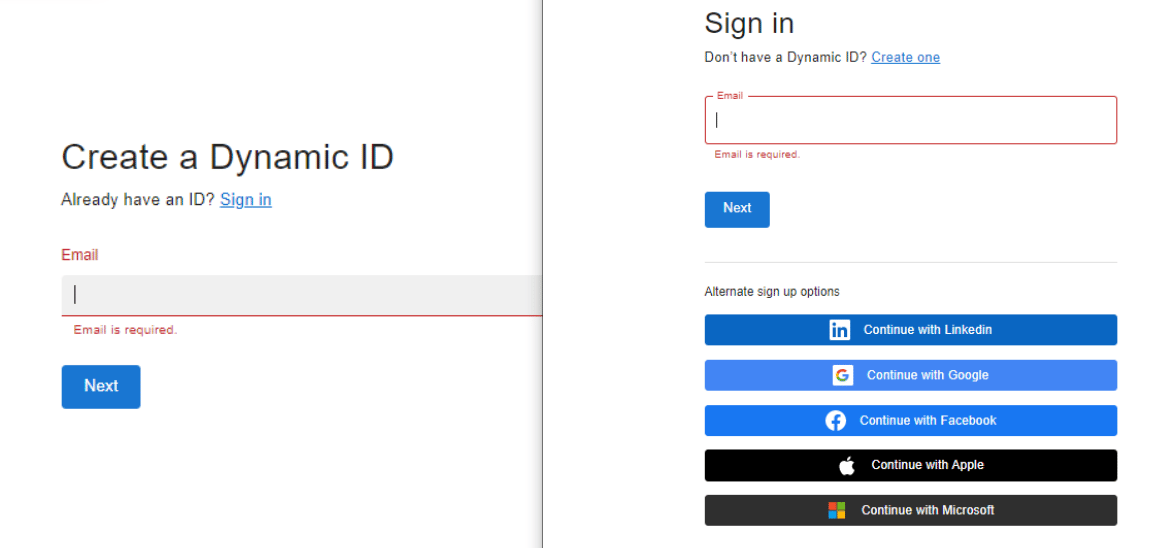
Digital Identity Management allows users to onboard and authenticate with a supported and enabled social media provider. Digital Identity Management supports the following social media providers:
* Apple
* Facebook
* Google
* LinkedIn
* Microsoft
**Note:** The images below are from Digital Identity Management's out-of-the-box **Identity app**. Your own applications may vary in terms of how they render these options to the user, if at all. They are added here for illustrative purposes.
 Existing, authenticated end users can also connect their social media account to their user profile.
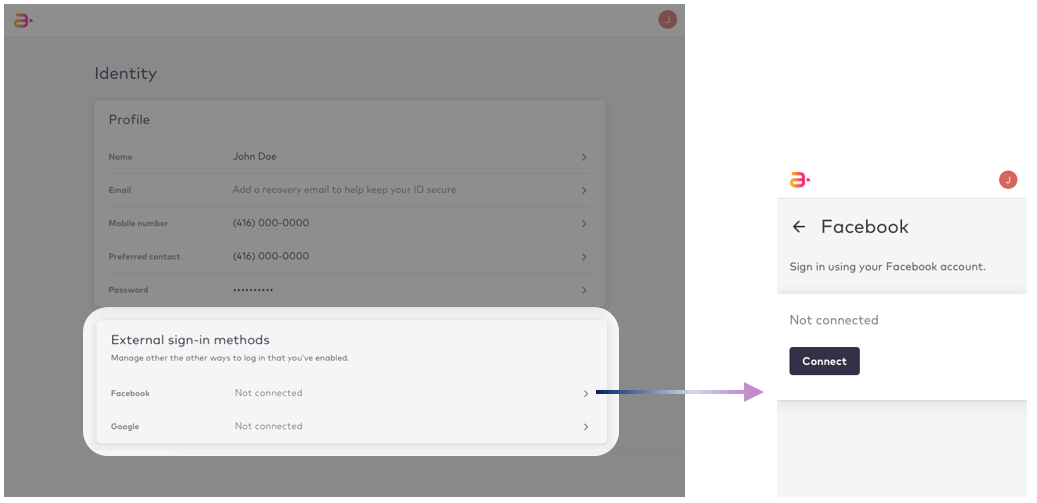 Whether the user can associate their social media account to their user profile depends on a few conditions:
* Digital Identity Management supports the required [social media providers](careSocialConnect#ul_lmt_m14_jwb).
* Each provider-specific integration must be enabled and configured by your organization in the Digital Identity Management **Admin console**.
* The relevant Process API functionality must be built into your organization's application(s), and made available to your end users.
* Your organization may opt to simply not make social connections available to end users.
Once the user has connected their social media account, you can [disconnect the social media account](disconnectUserSocial) from their profile, on behalf of the user.
* **[Disconnect a Social Media Account](../topics/disconnectUserSocial)**
**Parent topic:**[Update a User's Details](../topics/sgUpdatingProfile)
This documentation is built and hosted on [Mintlify](https://mintlify.com), a developer documentation platform.
Whether the user can associate their social media account to their user profile depends on a few conditions:
* Digital Identity Management supports the required [social media providers](careSocialConnect#ul_lmt_m14_jwb).
* Each provider-specific integration must be enabled and configured by your organization in the Digital Identity Management **Admin console**.
* The relevant Process API functionality must be built into your organization's application(s), and made available to your end users.
* Your organization may opt to simply not make social connections available to end users.
Once the user has connected their social media account, you can [disconnect the social media account](disconnectUserSocial) from their profile, on behalf of the user.
* **[Disconnect a Social Media Account](../topics/disconnectUserSocial)**
**Parent topic:**[Update a User's Details](../topics/sgUpdatingProfile)
This documentation is built and hosted on [Mintlify](https://mintlify.com), a developer documentation platform.