> ## Documentation Index
> Fetch the complete documentation index at: https://docs.ulm.m1amdocs.com/llms.txt
> Use this file to discover all available pages before exploring further.
# Authentication
Authentication is the operation wherein a system verifies the identity an actor (an individual or a machine agent operating on their behalf) based on the proof presented to that system.
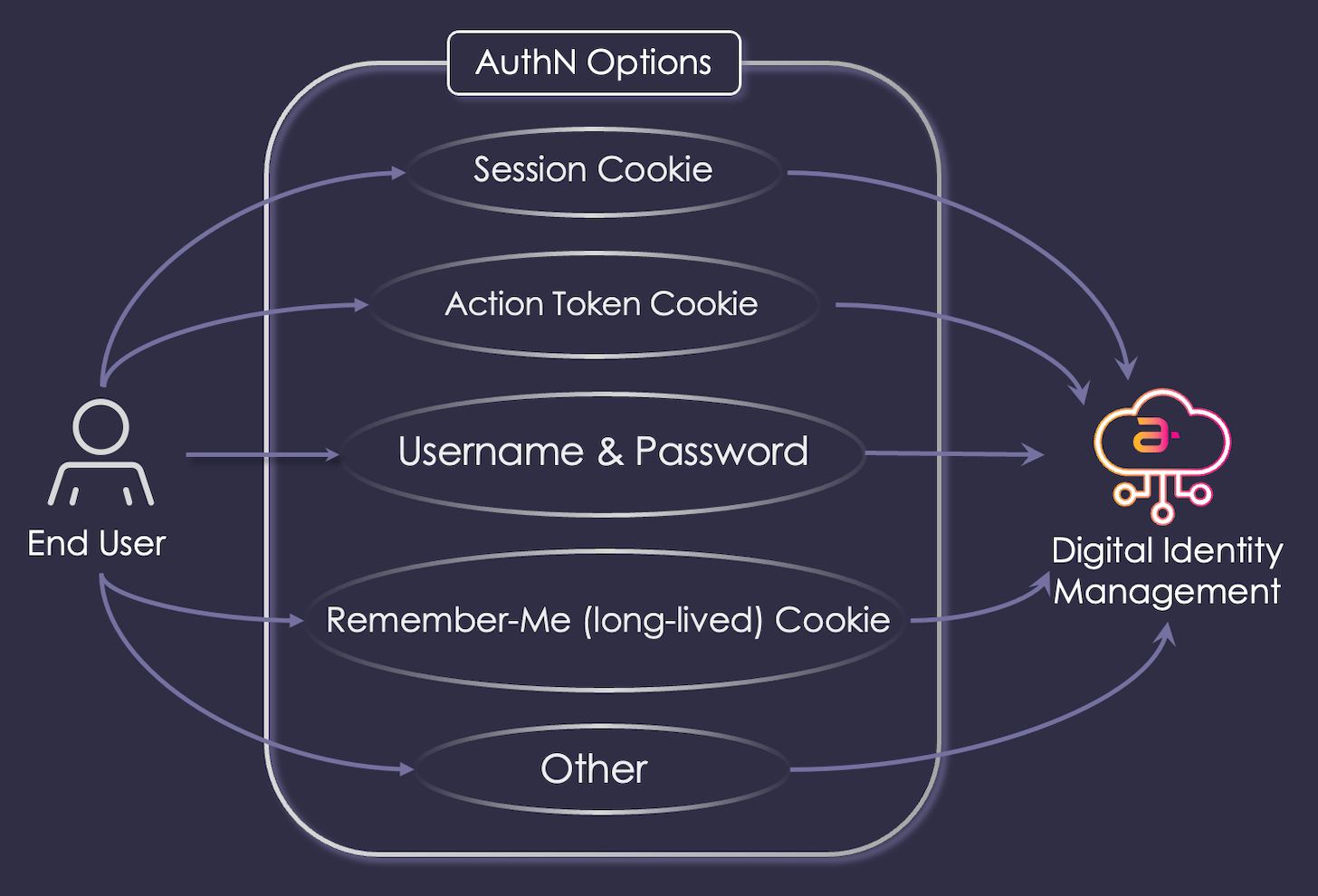 ## Authentication Methods
Below are a few common authentication methods:
**Password-based Authentication**
An user presents their username and password to an application, and the application passes that information to the Identity Provider (IdP) service in a REST API request. The IdP consumes and validates those credentials and, if successful, opens a session on the server. The IdP service then informs the front end application in the API response.
| What is a username? |
| - |
| Generally speaking, Digital Identity Management refers to username as **authentication identifier** or **authN ID**. When a user onboards with Digital Identity Management, they supply their email address or their mobile number as their authN ID. Digital Identity Management also supports a non-verifiable authN ID type called an alias. An alias is a unique string that the user can register and then use to sign in with their password, but the user must first have at least once verified email or mobile before they can register an alias. |
**HTTP Cookie Authentication**
In web-based applications, when a user authenticates with a service, the browser stores one or more cookies into the user's browser. These cookies reference the user's open session on the IdP server. If the user closes or navigates away from the application, and then returns at a later date, the IdP can inspect those cookies to recreate the user's session without the need for the user to reauthenticate on the front end.
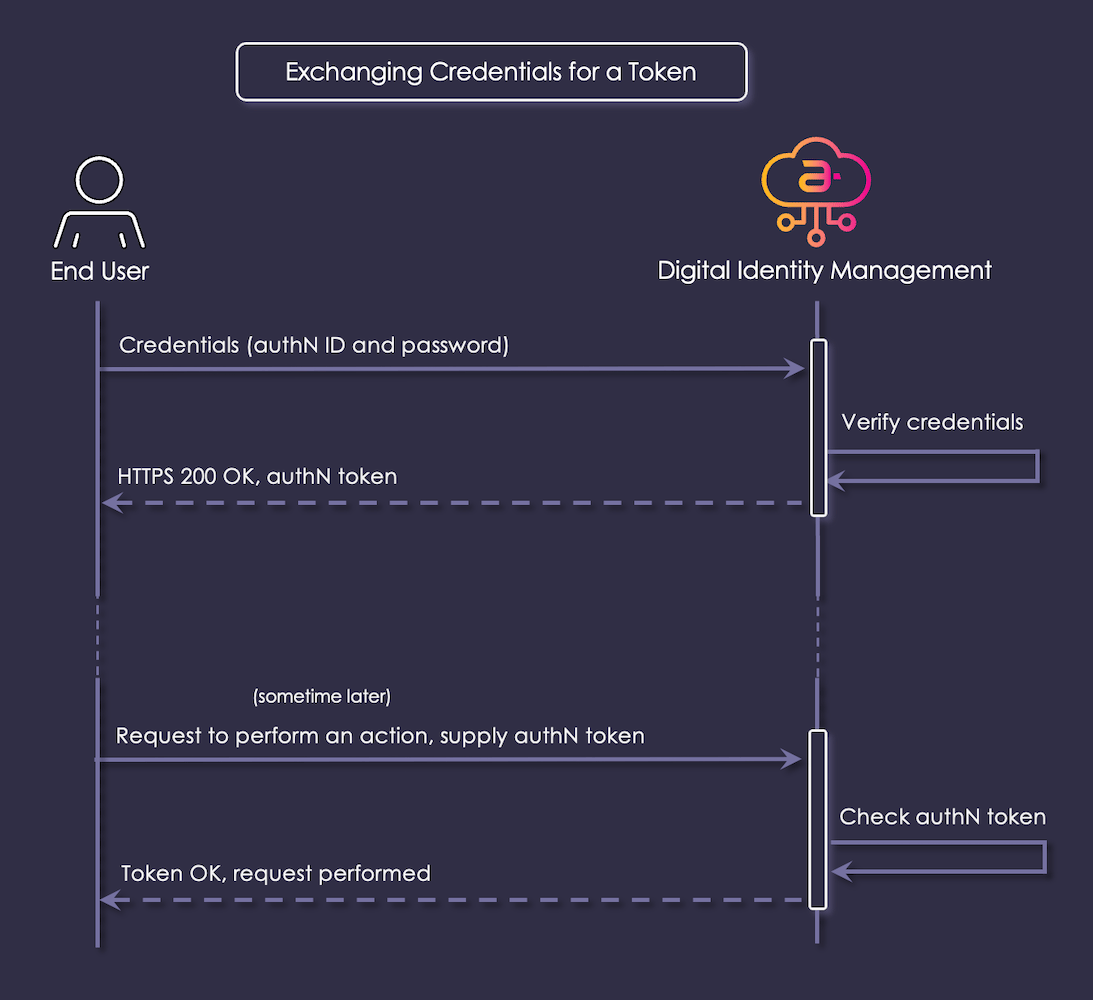
**Token-based Authentication**
This is the operation of presenting a user's actual credentials (authN ID and password) in exchange for an access token (for example, an HTTP cookie or OAuth2.0-based access token) which represents the user authentication.
## Authentication Methods
Below are a few common authentication methods:
**Password-based Authentication**
An user presents their username and password to an application, and the application passes that information to the Identity Provider (IdP) service in a REST API request. The IdP consumes and validates those credentials and, if successful, opens a session on the server. The IdP service then informs the front end application in the API response.
| What is a username? |
| - |
| Generally speaking, Digital Identity Management refers to username as **authentication identifier** or **authN ID**. When a user onboards with Digital Identity Management, they supply their email address or their mobile number as their authN ID. Digital Identity Management also supports a non-verifiable authN ID type called an alias. An alias is a unique string that the user can register and then use to sign in with their password, but the user must first have at least once verified email or mobile before they can register an alias. |
**HTTP Cookie Authentication**
In web-based applications, when a user authenticates with a service, the browser stores one or more cookies into the user's browser. These cookies reference the user's open session on the IdP server. If the user closes or navigates away from the application, and then returns at a later date, the IdP can inspect those cookies to recreate the user's session without the need for the user to reauthenticate on the front end.
**Token-based Authentication**
This is the operation of presenting a user's actual credentials (authN ID and password) in exchange for an access token (for example, an HTTP cookie or OAuth2.0-based access token) which represents the user authentication.
 **Parent topic:**[Authentication and Authorization](../topics/authNauthZ)
This documentation is built and hosted on [Mintlify](https://mintlify.com), a developer documentation platform.
**Parent topic:**[Authentication and Authorization](../topics/authNauthZ)
This documentation is built and hosted on [Mintlify](https://mintlify.com), a developer documentation platform.