

- Allow-list specifies a set of email domains that are permitted or allowed. The end users can only use emails from the domains on this list. The allow-list supersedes or overwrites the block-list.
- Block-list specifies a set of email domains that are prohibited or blocked. The end users can’t use an email from any of the domains on this list.
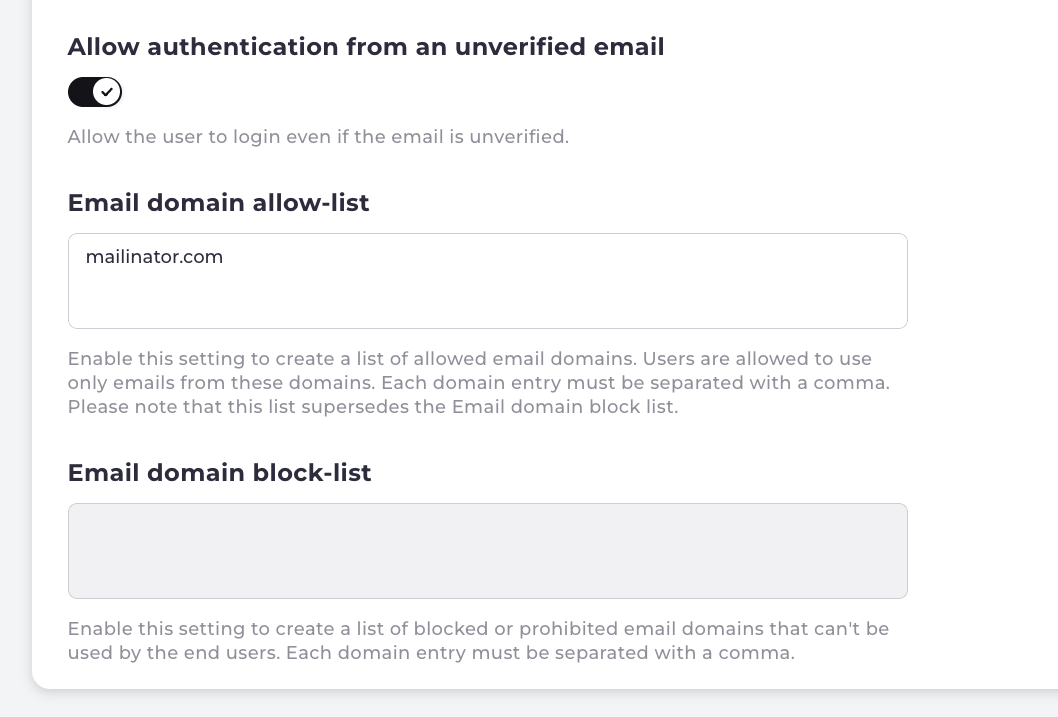
- Navigate to the Admin console > Authentication > Authentication Identifiers page.
- To configure an block-list, select the block-list field.
- Enter an email domain using a standard format such as www.example.com. For additional entries, separate each email domain with a comma.
- To enable and configure the allow-list, select the Email domain allow-list field.
- Enter an email domain using a standard format such as www.example.com. For additional entries, separate each email domain with a comma. Note: The Email domain allow-list supersedes or overwrites the block-list. You can disable the allow-list at anytime by removing all the domain entries from the list.
-
Select one of the following prompts:
- Save Changes to update the specified list with your email domain(s).
- Discard to cancel all the changes and return to the Authentication Identifiers page. Note: To delete an email domain from either the block-list or allow-list, click the specified domain entry and choose delete. Save your changes to update the specified list.