

Announcements
There are no announcements for this release.Connect Features
This section describes the key updates in this release.New Process API: Onboard and Authenticate with Mobile Number and Passcode
A new Process API called Onboard and Authenticate with Mobile Number and Passcode has been introduced to Connect. A user can onboard and then authenticate themselves using their mobile number and passcode, where a passcode is a string of numeric characters used as a password. This new Process API is intended to be used for applications or systems that allow users to input only numerical characters. For example, an application or system could be a telephone Interactive Voice Response (IVR) whereby a user calls a support phone number and inputs numerical characters from their phone’s keypad to perform an action. The following use cases are supported:- New user onboarding: User receives a One-Time Password (OTP) → User enters OTP successfully → User sets passcode → User is onboarded and authenticated
- Existing user authentication with passcode: User enters passcode → User is authenticated
- Existing user authentication without passcode: User receives a One-Time Password (OTP) → User enters OTP successfully → User sets passcode → User is authenticated
- Existing user authentication but forgot passcode: User receives a One-Time Password (OTP) → User enters OTP successfully → User updates passcode → User is authenticated
Identity Provider Portal Enhancements
The Identity Provider (IdP) Portal is a ready-to-use onboarding, authentication, and profile management application for end users. Support for Additional Email Address and Mobile Number Prior to this release, end users were limited to only one email address and mobile number as an authentication identifier (also known as, login method). As of this release, end users may add more than one email address and mobile number as an authentication identifier. The number of permitted additional authentication identifiers (additional email address or mobile number) is configurable by the merchant.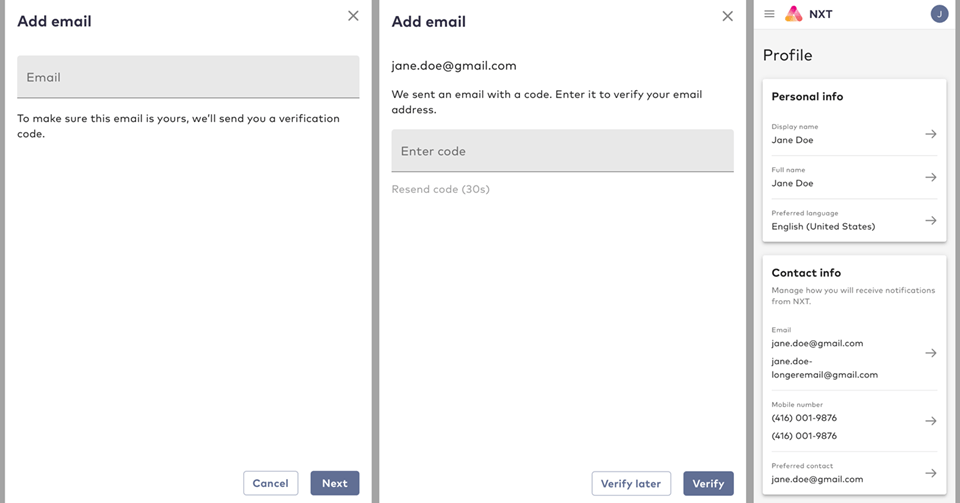
- Password Lifetime: Controls how long an end user can use a password before they are required to set a new one. For example, if the value of Password Lifetime is set to 90 days (or 7,776,000 seconds), then an end user that signs in 91 days after they set their password will need to set a new password before they can continue to use the service. Once an end user sets an acceptable new password, Connect closes all sessions that they may have open, except for the current one.
- Password Historical Check Count: Controls the number of most recently used passwords that an end user is not allowed to reuse, when they are setting a new password. For example, if the value of Password Historical Check Count is set to 5, then an end user cannot reuse any of their five most recent passwords when they are setting a new password.
- Password Historical Check Period: Controls the minimum amount of time that must pass before a previously used password may be used again. For example, if the value of Password Historical Check Period is set to 6 months (15,768,000 seconds), then once an end user replaces a password, that password cannot be used again for six months.
Connect IPv6 Support
Internet Protocol (IP) identifies devices across the internet and every device that uses the internet is identified through its own IP address. IPv4 uses a 32-bit addressing scheme that is capable of supporting approximately 4 billion devices. IPv6 uses a 128-bit addressing scheme that is capable of supporting approximately 340 trillion devices. With the growth of internet usage, and especially with Internet of Things (IOT) devices, the world will reach IPv4’s limit. As of this release, Connect supports IPv6 in addition to IPv4. Both protocols are now supported, out-of-the-box, when a merchant onboards with Connect.UXDR® Enhancements
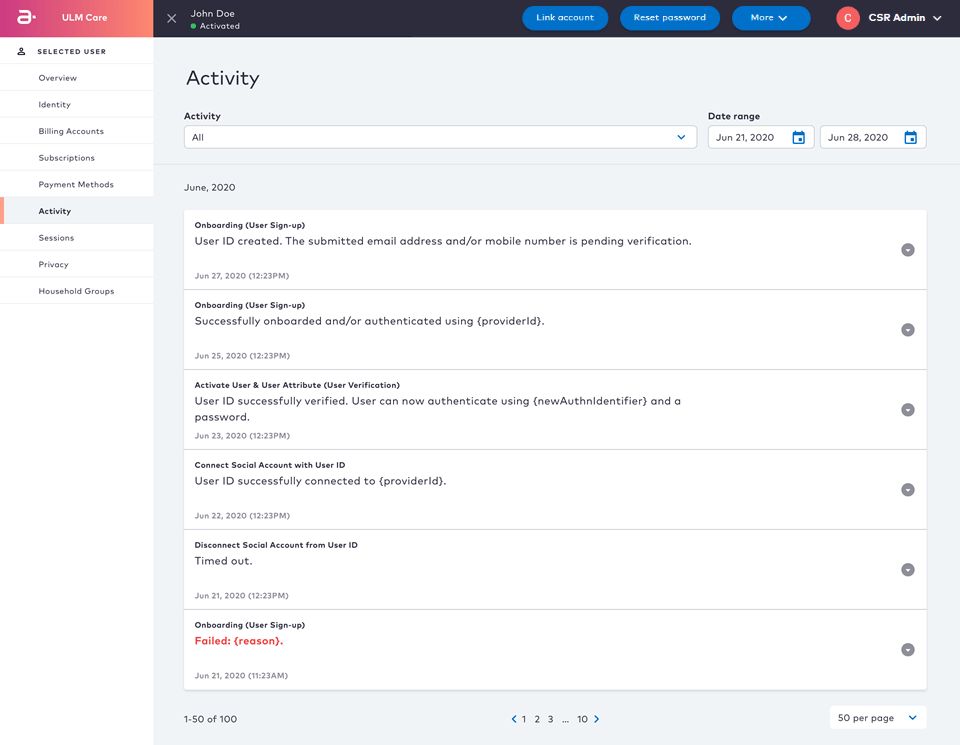
Connect User eXperience Data Record (UXDR®) is a detailed data record that collects and organizes the details of end users interactions with Connect, as well as recording all create, read, update, and delete (CRUD) events performed on Connect entities. As of this release, UXDRs have been enhanced to include the following data points:- Custom Data patch array API call (for example,
[PATCH /customData/v1/user/\{userID\}/\{ArrayPropertyName\}](https://app.swaggerhub.com/apis/Amdocs_Media/CustomData/2021.03.Released#/Custom%20Data/patchCustomDataListItem)) updates UXDR entries, and those entries appear on the Activity UI. - Soft Profile API and Switch Profile API calls (for example,
[POST /group/\{groupId\}/addUser](https://app.swaggerhub.com/apis/Amdocs_Media/ULM/Released#/Group/createGroupUser),[POST /session/switch](https://app.swaggerhub.com/apis/Amdocs_Media/ULM/Released#/group%20user/switchUserGroupSession)) generate UXDR entries, and those entries appear in the Activity UI.
MarketONE OTT Payment Authorization and Payment Method APIs Support
Connect is a component of the MarketONE platform, which enables users to purchase and manage over-the-top (OTT) services. These services are typically purchased from the OTT service provider storefront. As of this release the following enhancements have been made:- MarketONE API GET /partnersub/v3/partnerSubscription was updated to return all OTT payment authorizations related to the billing account associated to the mobile number.
- A new Storefront Gateway API call GET /paymentMethod was added and it returns a list of payment methods linked to an account that is active.
- A new Storefront Gateway API call PUT /partnerSubscription/{id}/paymentMethod was added and it updates an active billing Partner subscription’s payment method.