Announcements
The following are MarketONE Connect Announcements:- We are migrating documentation from MarketONE Developer site at https://developer.m1amdocs.com/documentation/ to our Knowledge Center at https://docs.vindicia.com/. New documentation updates will only be available in the Knowledge Center.
- We are in the process of updating documentation and UIs to reflect new product names for the following:
- IdP UI renamed to Identity app
- Admin app renamed to Admin console
- Care app renamed to Care console
Connect Features
This section describes the features in this release:Additional Storefront Gateway Notifications
The MarketONE Storefront Gateway API includes a set of APIs that enable clients to perform identity-driven purchase and payment method management operations. The Storefront Gateway is a bridge between Connect (user management) and Vindicia Subscribe (subscription management). These APIs require a new user access token, which is provided upon successful user authentication from Connect. In 2022.08 release, MarketONE Storefront Gateway API added support for Subscription Created, Subscription Canceled and Subscription Modified notifications. From this release, MarketONE Storefront Gateway API provides the following new notifications for the end users based on their selected channel type (email or sms):
As an organization, you can save time and money by leveraging this ready-to-use capability without having to build in your own notification mechanism for purchase and payment method operations. Similar to all notification templates in Connect, they are configurable and editable. These new notifications are optional and your organization can build your own notifications to handle these scenarios.
Create a New User from Care Console
From this release, a new user can be created from the Care Console. To create a new user, the only information required is the email address or mobile number. Additional fields such as display name, first name, last name and verified second factor are optional entries and not required to complete the user creation. The flow for this process is as follows: Care Rep from Care Console creates an end user End user gets email notification with a link to create password 3) End user clicks link and goes to a page where they can set their own password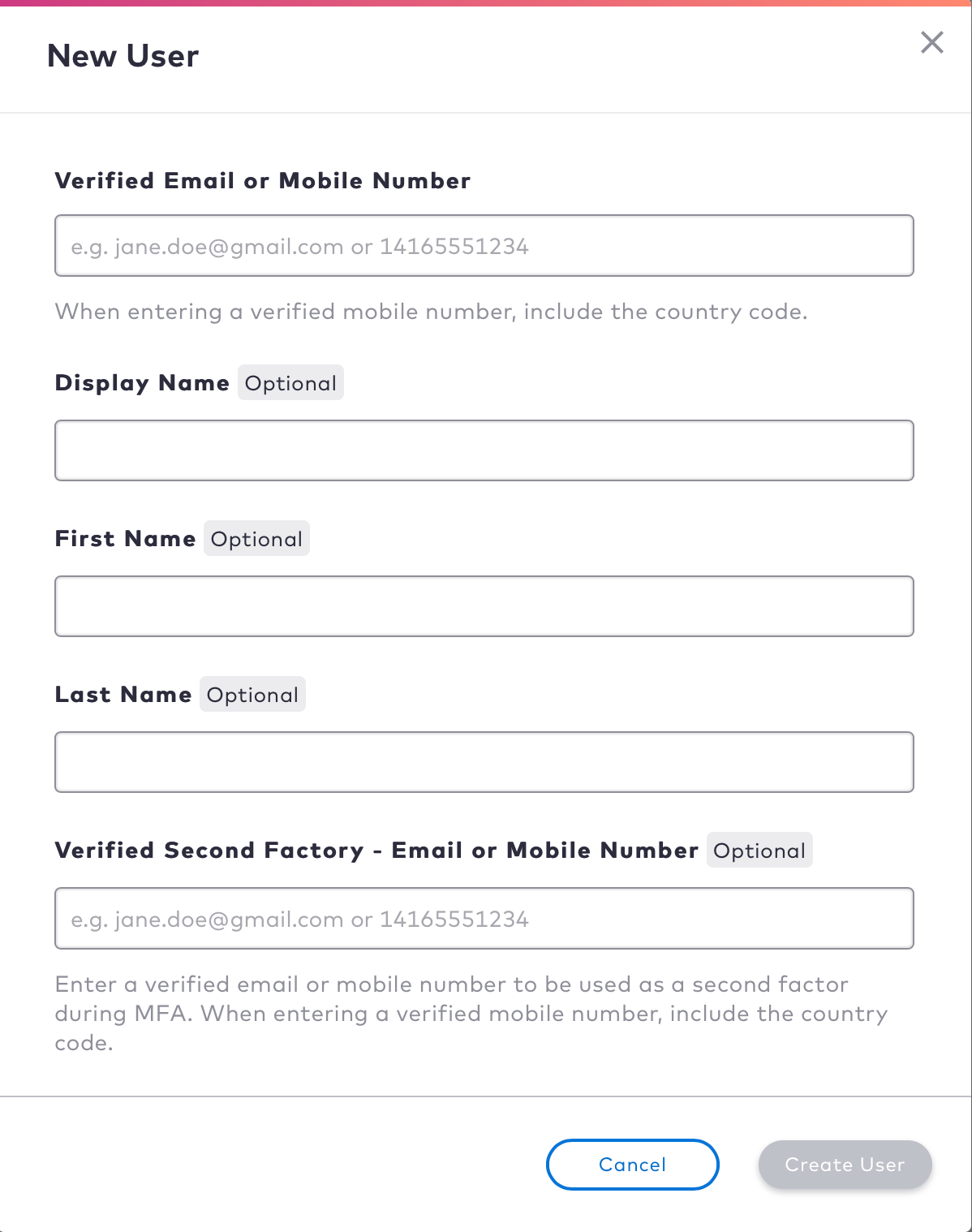
Unlock User from Care Console
From this release, a locked user can be unlocked from the Care Console. A user is locked when they sign-in multiple times with invalid credentials, such as a wrong password.The number of attempts/time before lockout occurs are configurable settings in the Admin Console. By default, the end user must wait for set time to elapse before they’re able to sign-in again.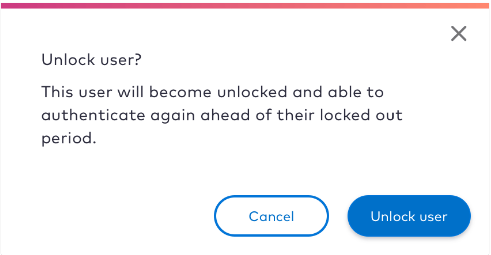
Connect Enhancements
This section describes the enhancements in this release:Allowed Origins
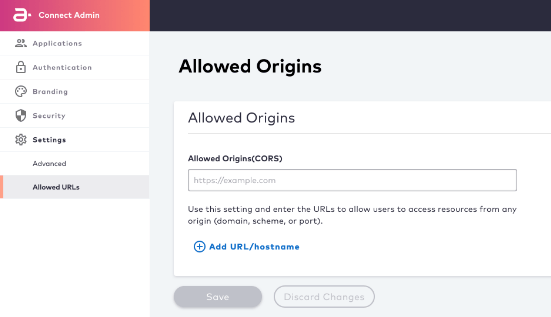
Allowed Origins enables users to access resources from any origin (domain, scheme, or port). From this release, you can add a list of URLs/hostnames from the Admin console > Settings > Allowed URLs page to prevent Cross-Origin Resource Sharing (CORS) related issues.