

Prerequisite - Enabling Refresh Tokens
Digital Identity Management only issues, and accepts the use of, refresh tokens when:- The requesting client is registered as an OIDC client in the Digital Identity Management Admin web application.
- Refresh tokens are enabled and configured in the Tokens section for that OIDC client configuration page.
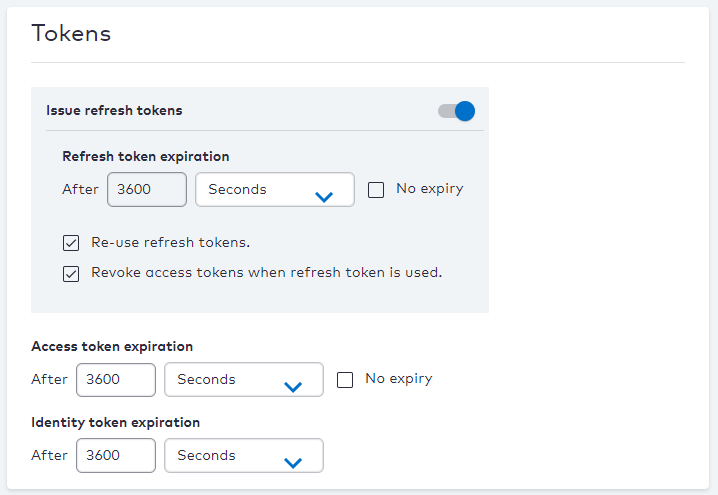
Flow Diagram
The diagram below represents the interactions between the key actors in this flow: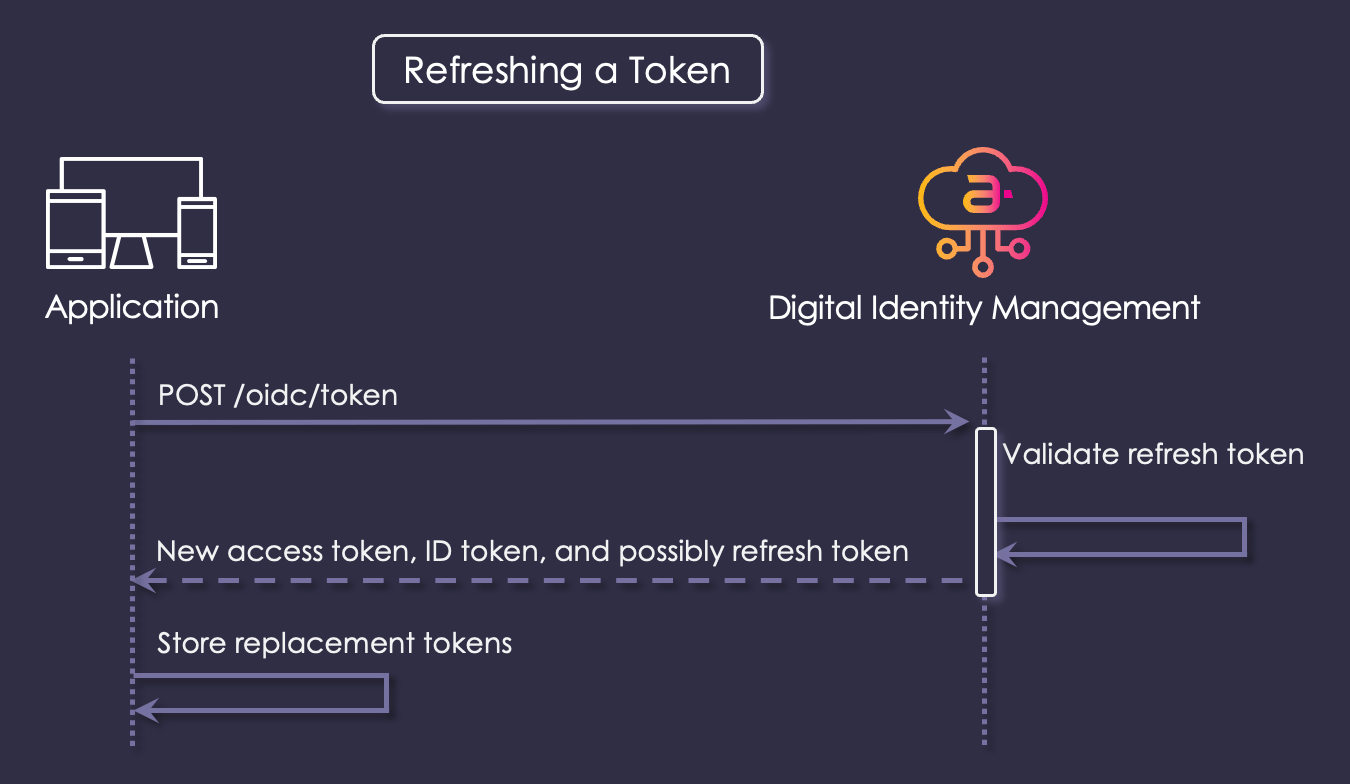
Interaction Steps
The interaction steps between each actor in the flow are as a follows:-
The application (preferably its backend, if your application has one) makes a request to Digital Identity Management’s
POST /oidc/tokenendpoint with its current or expired access token, and the corresponding refresh token. The body of the request is of typeapplication/x-www-form-urlencoded, and these are the values to include: -
Digital Identity Management consumes the provided tokens, and verifies that:
- The provided refresh token is valid.
- The scopes requested are a subset of those part of the original authorization request.
- The client credentials (if supplied) are valid.
- Assuming all validations passed, Digital Identity Management issues a new access token, potentially a new ID token, and potentially also a new refresh token. Digital Identity Management also immediately invalidates the old access token. If a new refresh token was issued, the old refresh token is invalidated as well.
- Your application stores the new tokens, and begins using them.