

Process Flow
This flow describes the Process at a high level. Preconditions- The user is currently authenticated.
- The user has at least one email address or mobile number registered as an authentication identifier (authN ID) and set as an MFA option.
- The user navigates to the Security or MFA Settings (or your UI’s equivalent) and selects to unregister their current email or mobile from multi-factor authentication.
- Digital Identity Management prompts the client for the user’s password, and the client UI prompts the user to enter it. Note: The Process errors if the user does not have a password (i.e., they onboarded with a social account).
- The user provides their password, and the client passes it back to Digital Identity Management.
- Digital Identity Management removes the specified email or mobile as an MFA option.
- The authN ID (email or mobile) is no longer an option for the user if they trigger an MFA check.
- Invalid authN ID specified by the client.
- Failed and reached the maximum number of retry attempts.
- The user does not have a password, and must first set one.
Settings
This Process currently has no relevant settings that configure the Process API response or Process logic/behaviour. However, additional settings are coming in future releases.User Journey Flow Diagram
This diagram illustrates the standard user journey using the Unregister Email or Mobile as MFA Process. [product: dim]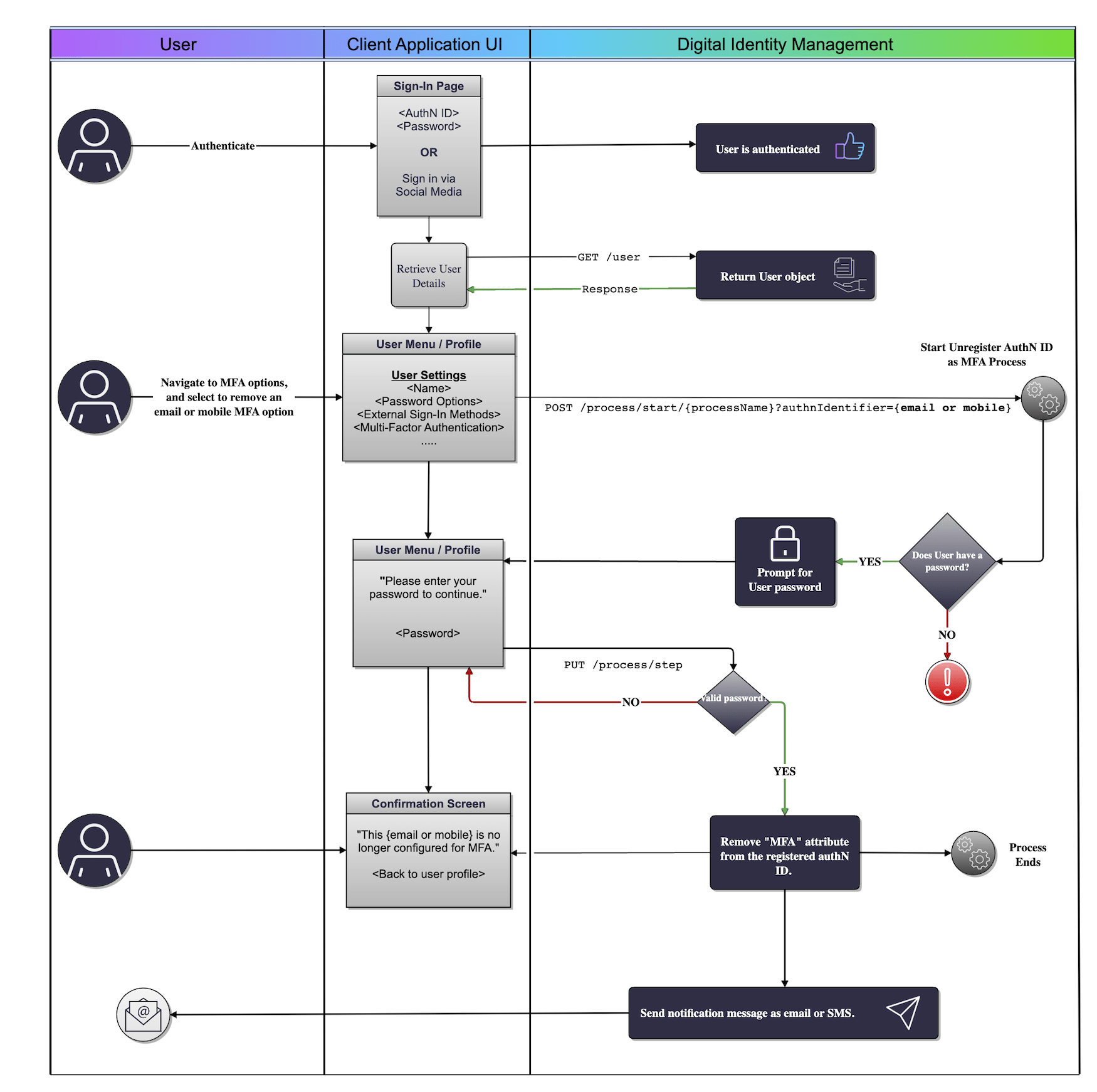
Use Cases
The following use cases provide guided API walkthroughs of this Process for client developers:- Unregister authN ID as an MFA
- MFA unregistration errors
- Unregister AuthN ID as MFA
- Unregister authN ID as MFA errors