- Apple ID
- Microsoft
Social Media Account User Onboarding Flow
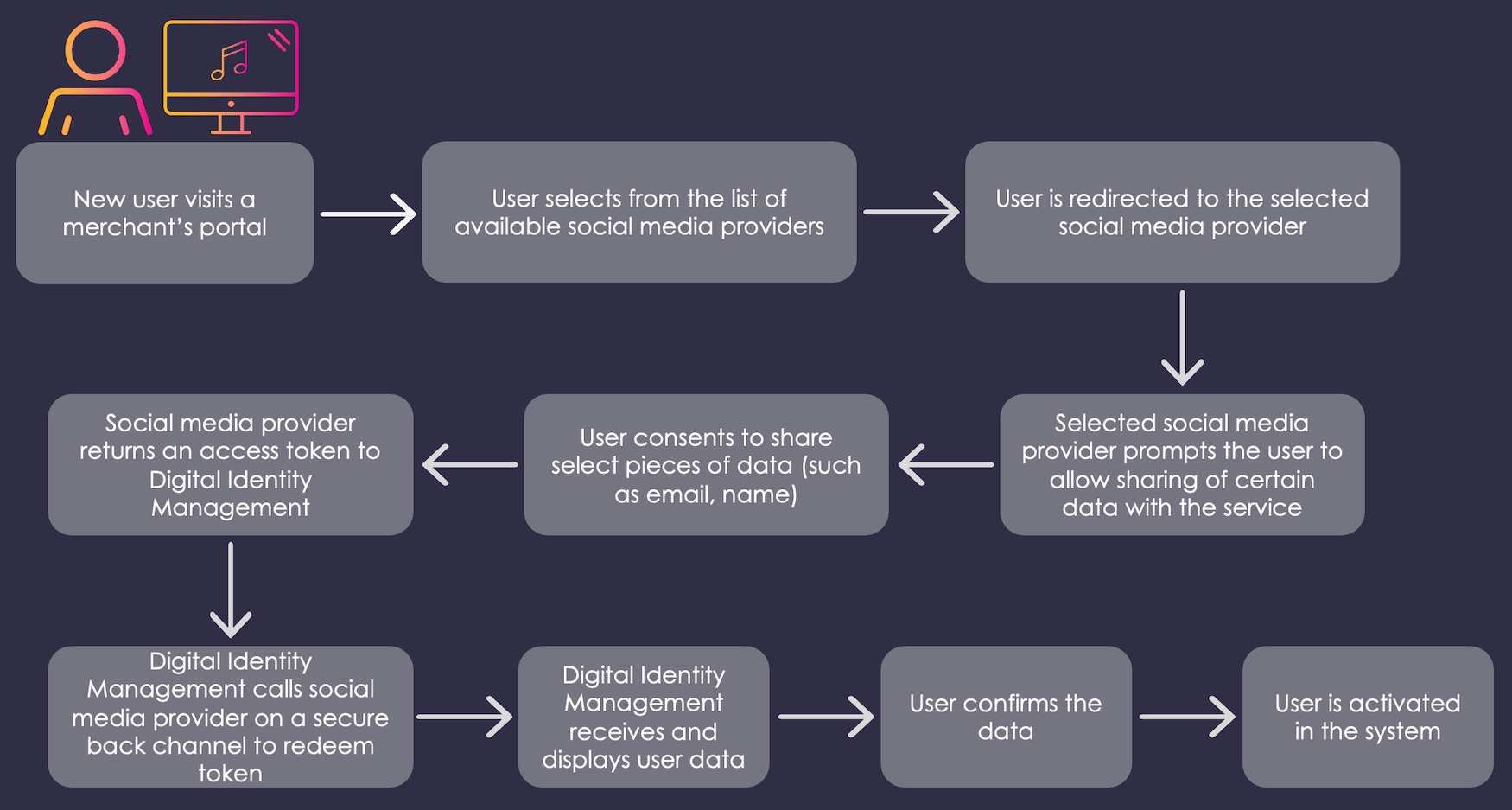
Following is a typical user onboarding example for this flow:- A new user visits an organization’s login/sign-up page.
- The user signs up or registers to Digital Identity Management services with their social media account. Note: User is already signed in to their social media account.
- User is redirected to the selected social media provider.
- User is prompted to allow sharing certain user data with the service.
- User provides their consent to share certain user data.
- Social media provider returns an access token to Digital Identity Management.
- Digital Identity Management calls social media provider on a secure back channel to redeem token.
- Digital Identity Management receives and displays user data.
- User confirms the data.
- User is activated into Digital Identity Management.
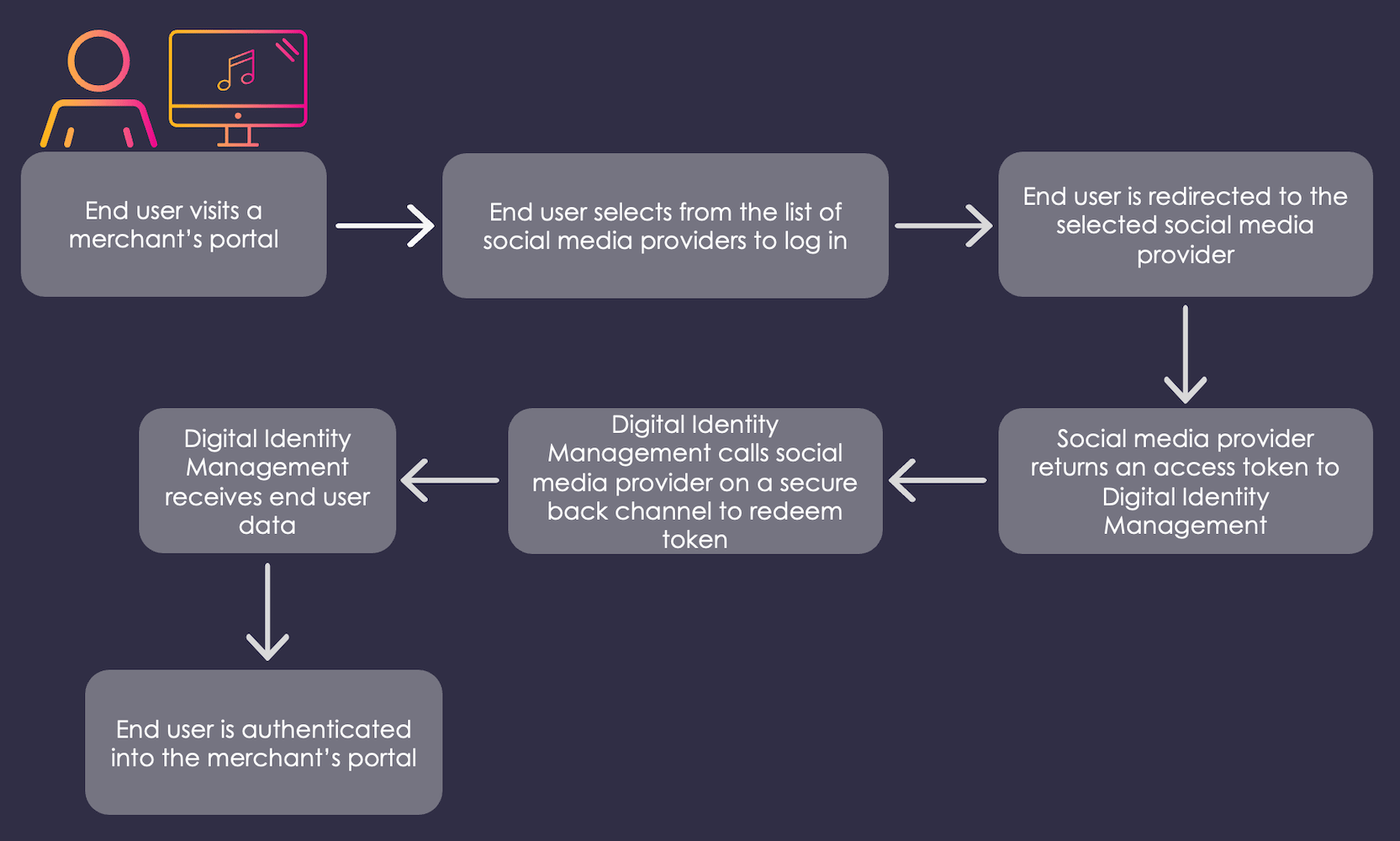
Social Media Account User Authentication Flow
Following is a typical user authentication example for this flow:- A user visits an organization’s login/sign-up page.
- The user selects from the list of available social media account. Note: User is already signed in to their social media account.
- The user is redirected to the selected social media provider.
- Social media provider returns an access token to Digital Identity Management.
- Digital Identity Management calls social media provider on a secure back channel to redeem token.
- Digital Identity Management receives user data.
- The user is logged in after Digital Identity Management’s successful identity verification.