Announcements
This release includes the following announcements:- Connect now supports OAuth 2.0 Device Authorization Grant flows.
- Connect now supports identity-driven purchase and management of subscription services.
- Connect Admin web application now includes the Settings screen that Admin Users can access to manage system-wide settings.
Connect Features
This section describes the key updates in this release.Settings Management in Connect Admin
Connect Admin is an existing web application that enables a service provider’s administrative manager(s) to configure and manage their instance of Connect. More specifically, a Connect Admin user configures OIDC relying parties for single-sign on.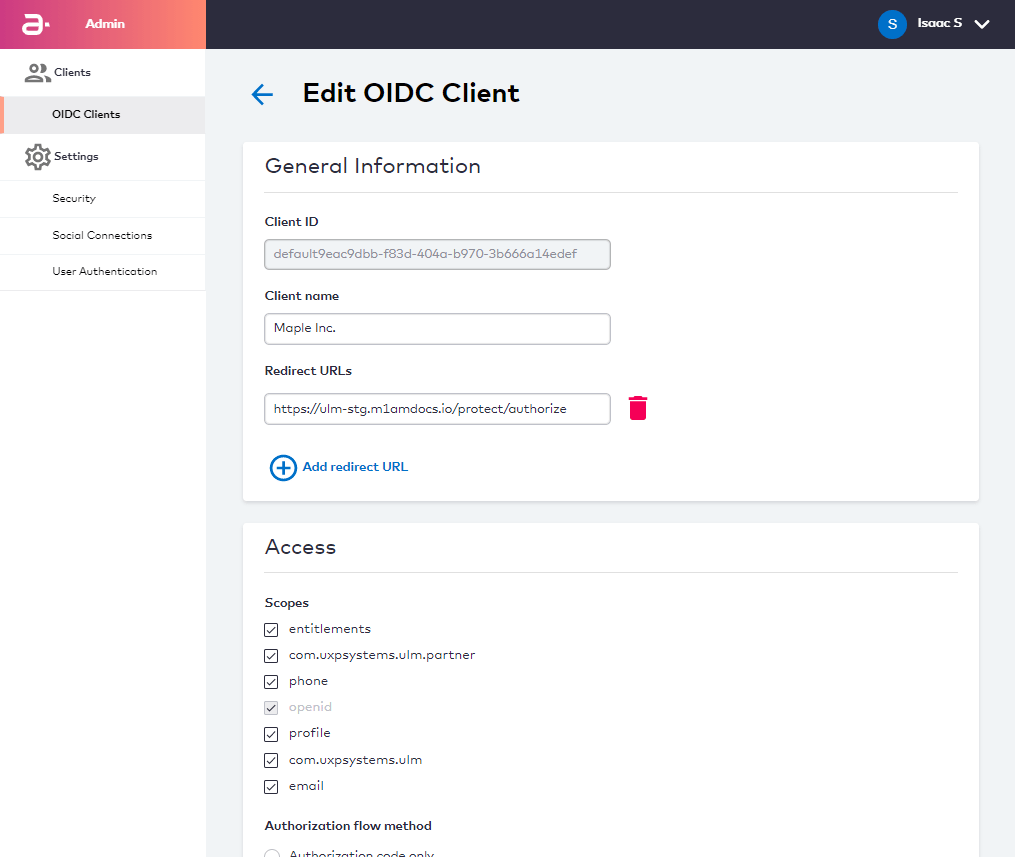
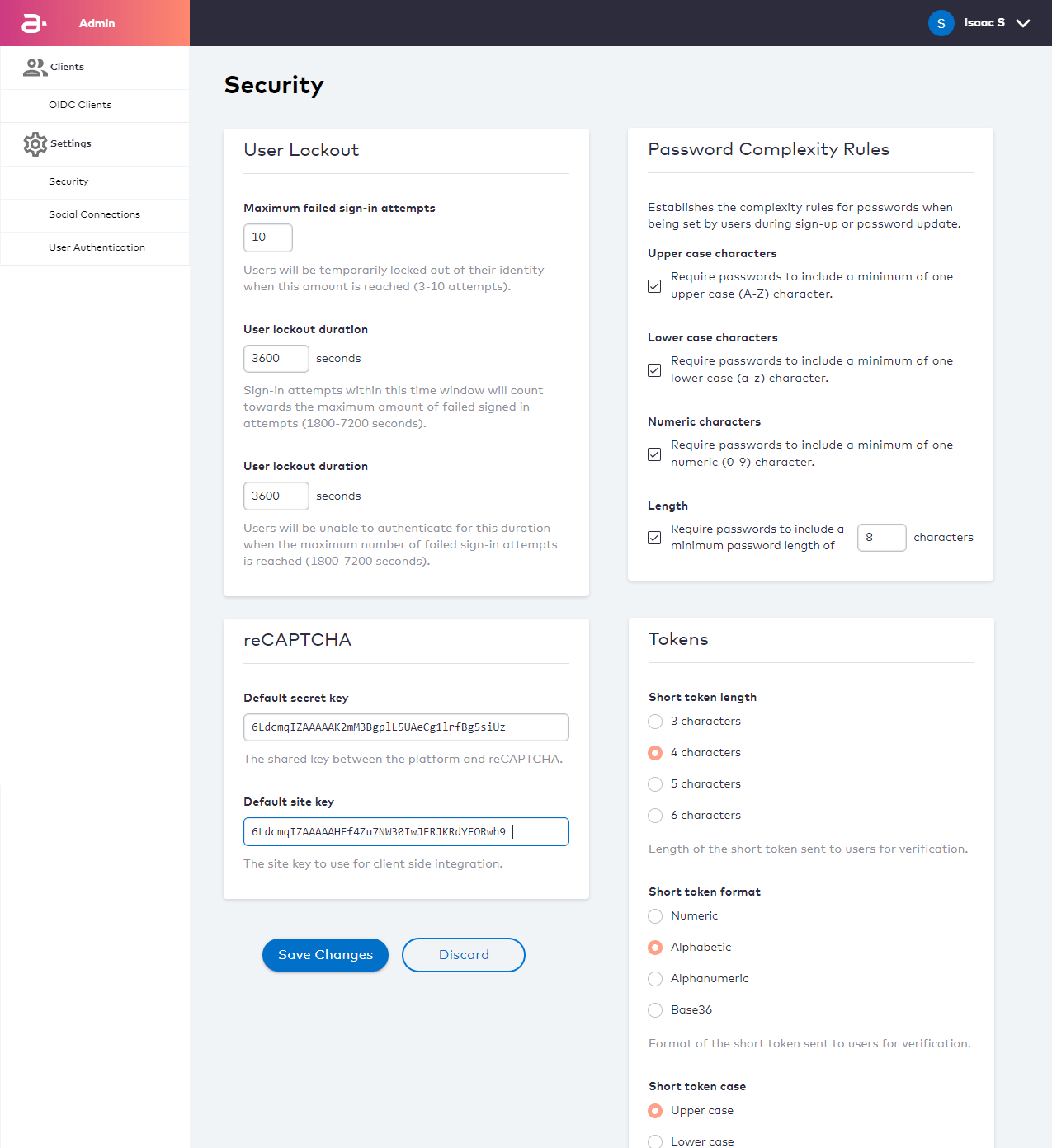
- The maximum number of times a user can fail an authentication attempt before they are temporary locked out.
- The time period in which a user’s failed authentication attempts are added to a total.
- The duration of a temporary user lockout.
- Password complexity rules that define the minimum criteria for a user password to be acceptable.
- Rules that control Connect Action Tokens (both short-form custom OTPs and long-form redirect URLs).
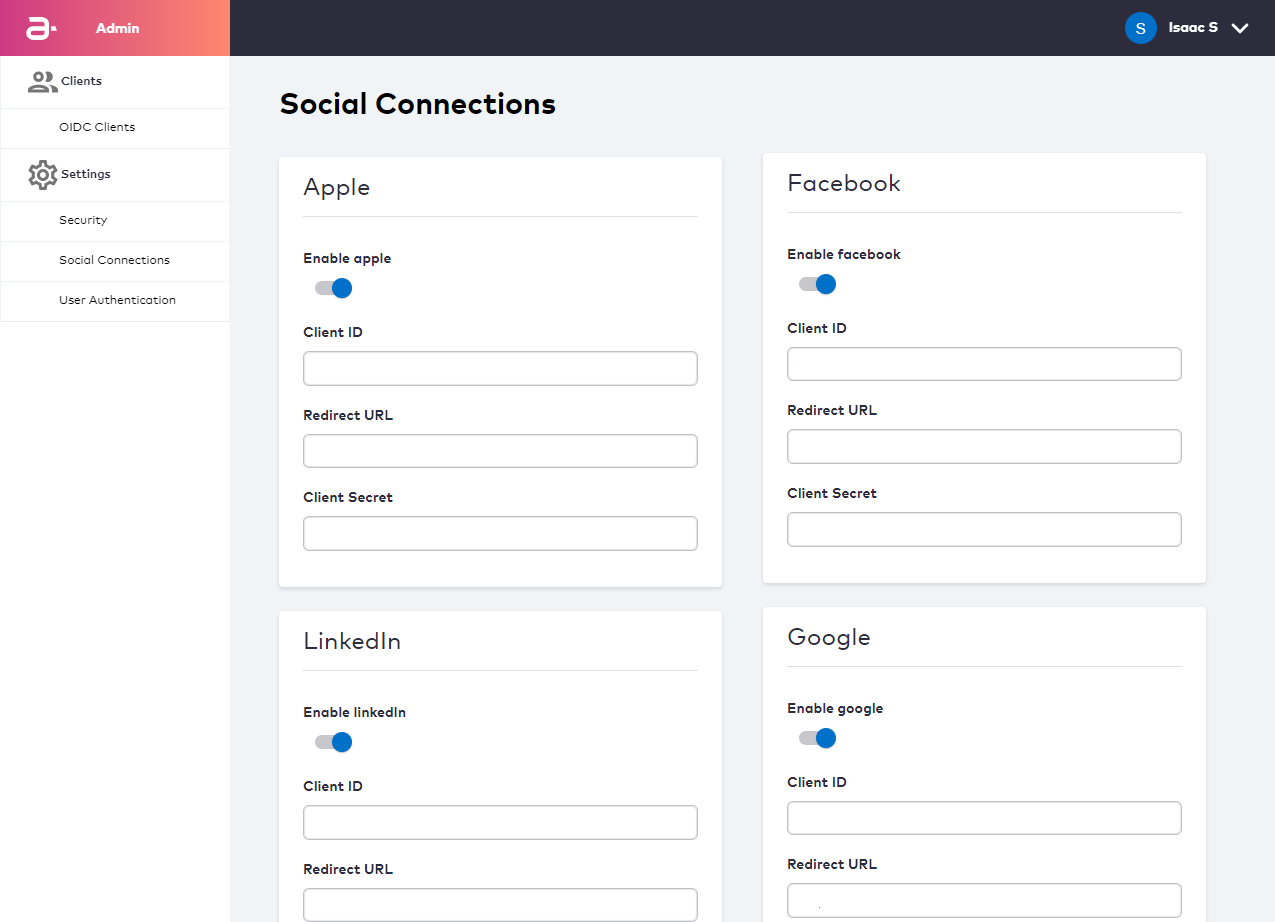
- Apple (API and UI)
- Facebook (API and UI)
- LinkedIn (API, UI coming soon)
- Google (API)
providerId at the onset of the Process, and the system will act according to the provider settings configured on this screen.
User Authentication
User Authentication Settings control rules related to authentication identifiers (authN IDs).
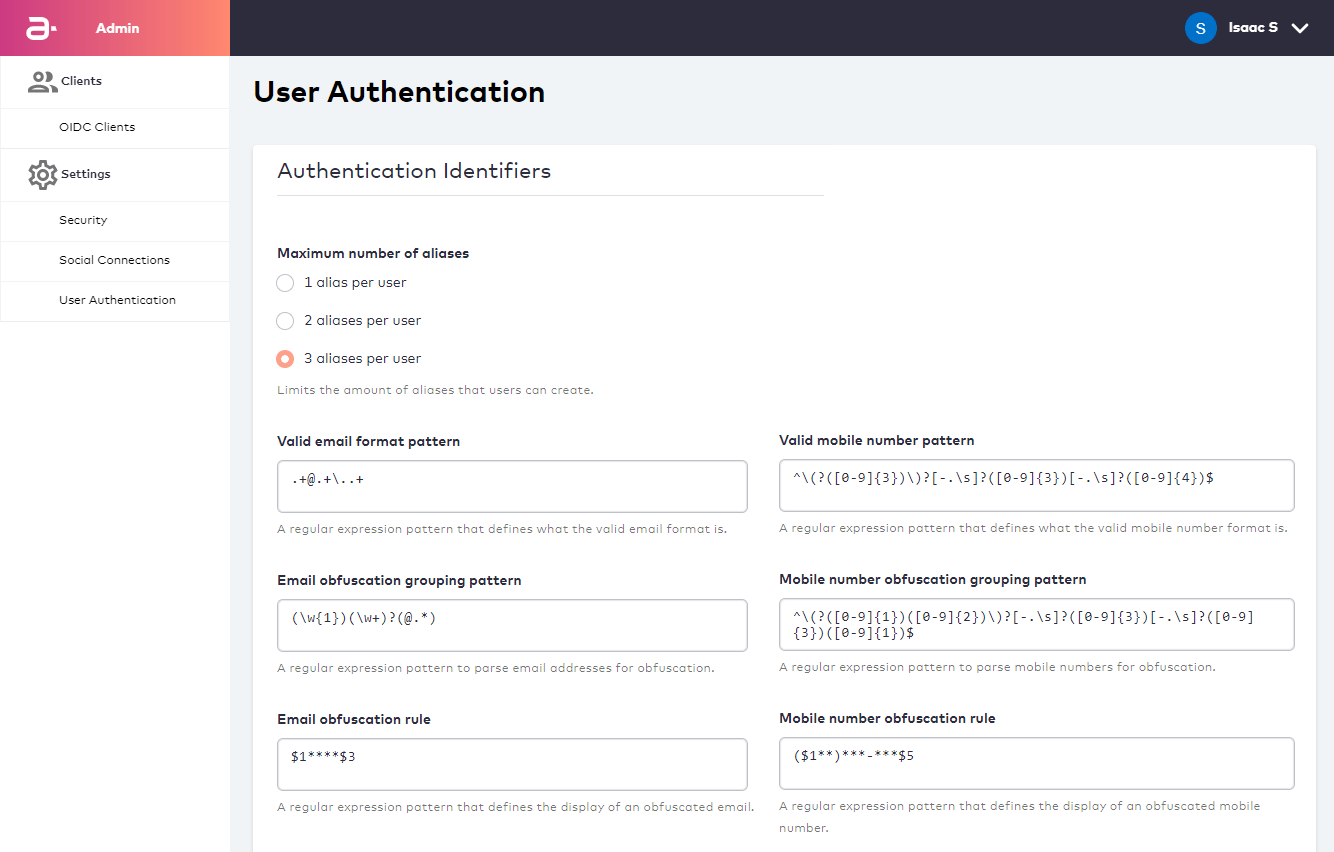
- Aliases are unique non-verifiable authN IDs that a user can register to their user ID (or “User Profile” from their perspective) and use for sign-in with a password.
- Valid format patterns control what is an acceptable email or mobile number pattern.
- Obfuscation rules and patterns control how information is returned from User to client applications. These rules and patterns help to control how user contact channels are securely displayed on the client application.
Support for Device Authorization Grant Flows
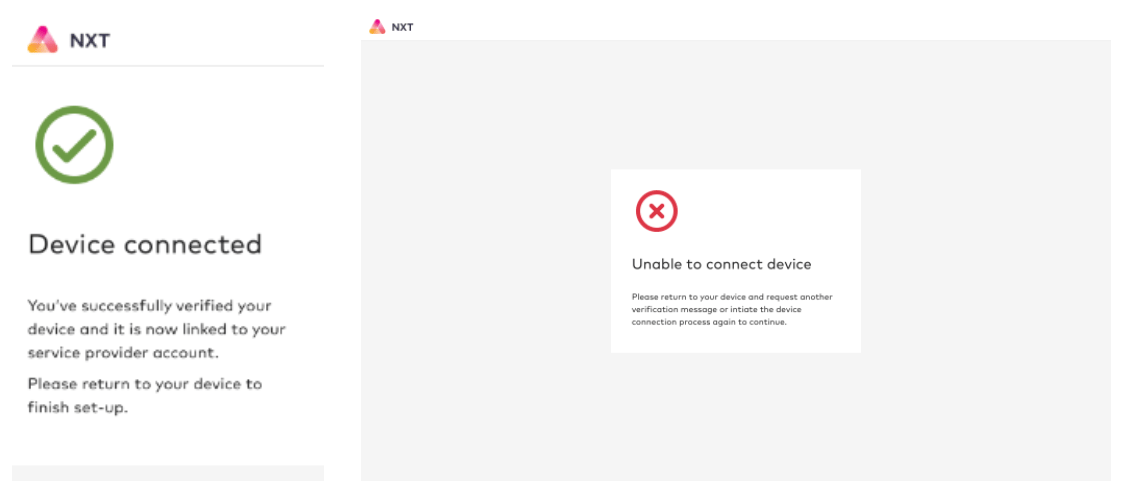
Connect now supports OAuth 2.0 Device Authorization Grant (DAG) flows (in accordance with RFC 8628). This enables users to perform the following tasks:- Enroll/onboard as a new user associating a device (for example, set-top box, smart TV) for the first time.
- Sign in as an existing user and onboard a new device.
- Sign in as an existing user with an existing device.
Identity-Driven Purchase and Management of Subscription Services
Connect now supports the purchasing of subscriptions and management of subscription services by an authenticated, fully verified user identity. Capabilities include the following:- View a list of their current subscriptions, and other subscriptions that can be purchased.
- Purchase an available subscription, with confirmation using one-time password to confirm identity.
- Add ‘Pay On Bill’ as a payment method (that is, purchasing a subscription service is billed to existing communication service provider account level bill).
- Get subscription status, resend subscription status and cancel subscription.
Multi-Factor Authentication (MFA) Support Enhancement
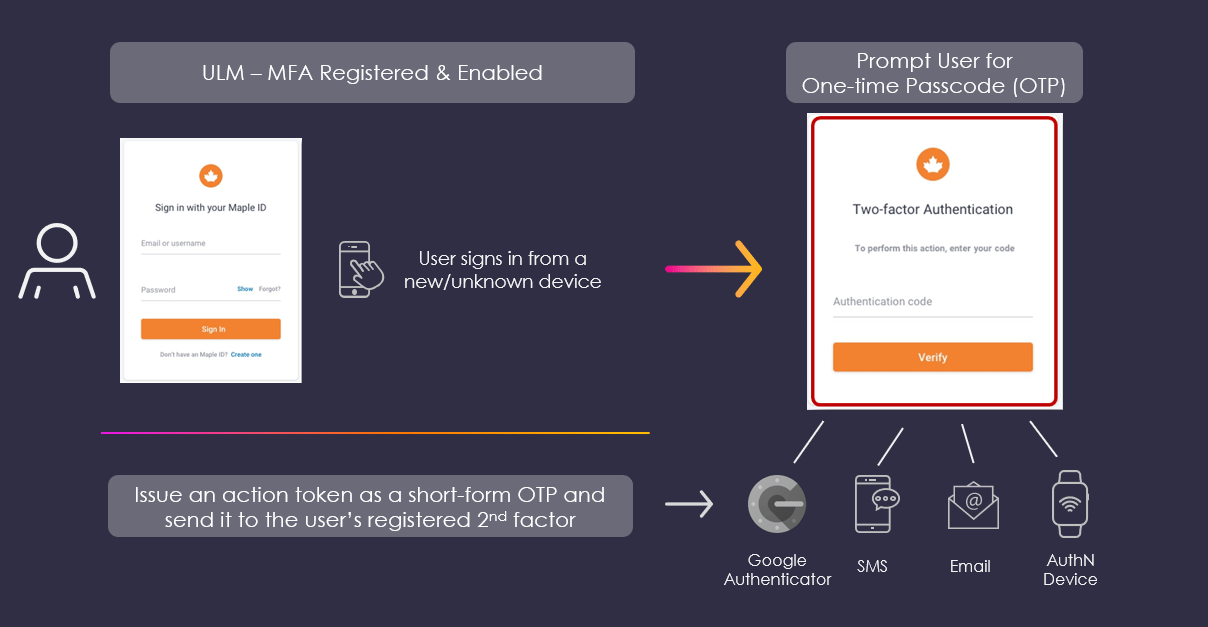
Connect fully supports Multi-Factor Authentication (MFA). MFA is a security measure that allows a user to register additional pieces of evidence (or “factors”) to protect their identity. When the user attempts to sign in under certain circumstances, Connect prompts them for that factor in order to prove that they own the user ID.