Annoucements
There are no announcements for this release.Connect Features
This section describes the key updates in this release.UXDR® Analytics
Every user and system interaction is captured in Connect Cloud’s UXDR® (User eXperience Data Record). UXDR provides benefit to organizations that analyze user interaction data, run queries, and strategically respond in order to drive further engagement and improve delivery methods. UXDRs are a critical input to your business intelligence. Key use cases include for example:- Promotions - for example, segment a set of users and send targeted emails to them.
- User Experience - for example, analyze HTTP trace logs and identify requests that have encountered an error and fix.
- Big Data Analytics - for example, analyze UXDR and other data sets collected by your organization to better understand engagement and enact strategies to reduce churn.
- HTTP Trace Logs - incoming/outbound HTTP traces (request, response, including headers and payloads).
- Platform Database Snapshot - snapshot of platform database that contain entity data (user, device/runtime, group, account, subscription, feature) and system data (OIDC Clients, settings, etc.).
- Custom Data Database Snapshot - snapshot of custom data database that contain JSON data your organization writes into the service.
Enhancements
Custom Data - Decimal Numbers Connect Cloud recently introduced a set of Custom Data API for client applications to store, retrieve, and update custom data within the Connect Cloud data store. Clients can provision a custom data objects and associate the data to User entities. This allows an application to capture and leverage additional data points regarding a known end user, usually with regards to the end user’s activity within a given service application (for example, an end user’s viewing history, preferences, etc). Organizations that leverage this service can structure and store data in most any order they want, provided that the data properly conforms to JavaScript Object Notion (JSON). If valid, the custom data for a User is stored as a single JSON document or record in the cloud As of this release, the Custom Data API now handles decimal numbers. For example, the response to a GET call for a customer’s balance will resemble the following:
Admin Email Notification - Improved Messaging
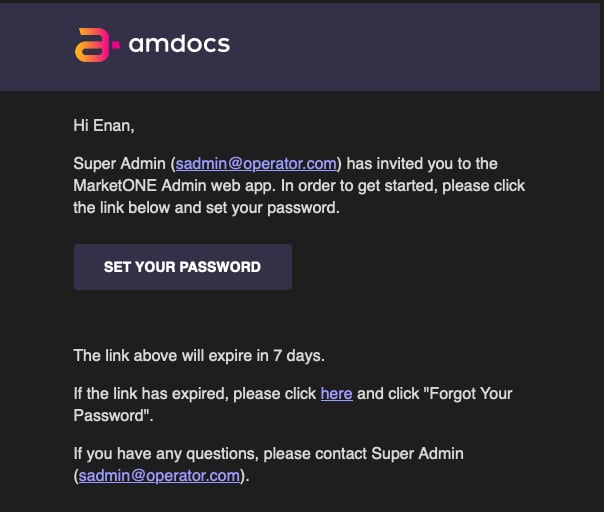
Connect Admin web application is an administrative console available to customer organizations. From this application, an organization’s provisioned “Admin users” can manage various settings that apply to the organization’s Connect Cloud service, such as security settings, social integrations, and OIDC client management.
The Admin application sends notification messages out to your organization’s Admin users for select events, including:
- When an Admin user creates and invites another user to use the Admin application.
- When an Admin user forgets and resets their password.