

Remove Account or Service from a User
This Process enables a Group’s Primary User to remove account or service access from a Regular User who is in the Group and associated to that account/service. Note: This Process is distinct from the Remove User from Group Process that kicks the target User out of the Group, thereby revoking access to all associations the target User has with the Accounts, Subscriptions, or Features in that Group.Assigning and Revoking Permissions
During the Share Access to an Account, Subscription, or Feature Process, an account or service’s Primary User (the Digital Identity Management User who pays for, and associates, the account or service being shared) gives another Digital Identity Management User a set of specific permissions to the Digital Identity Management Account, Subscription, or Feature that represents the account or service. That Process also adds the target User to the relevant Digital Identity Management Group, if they are not already added to it. [product: dim]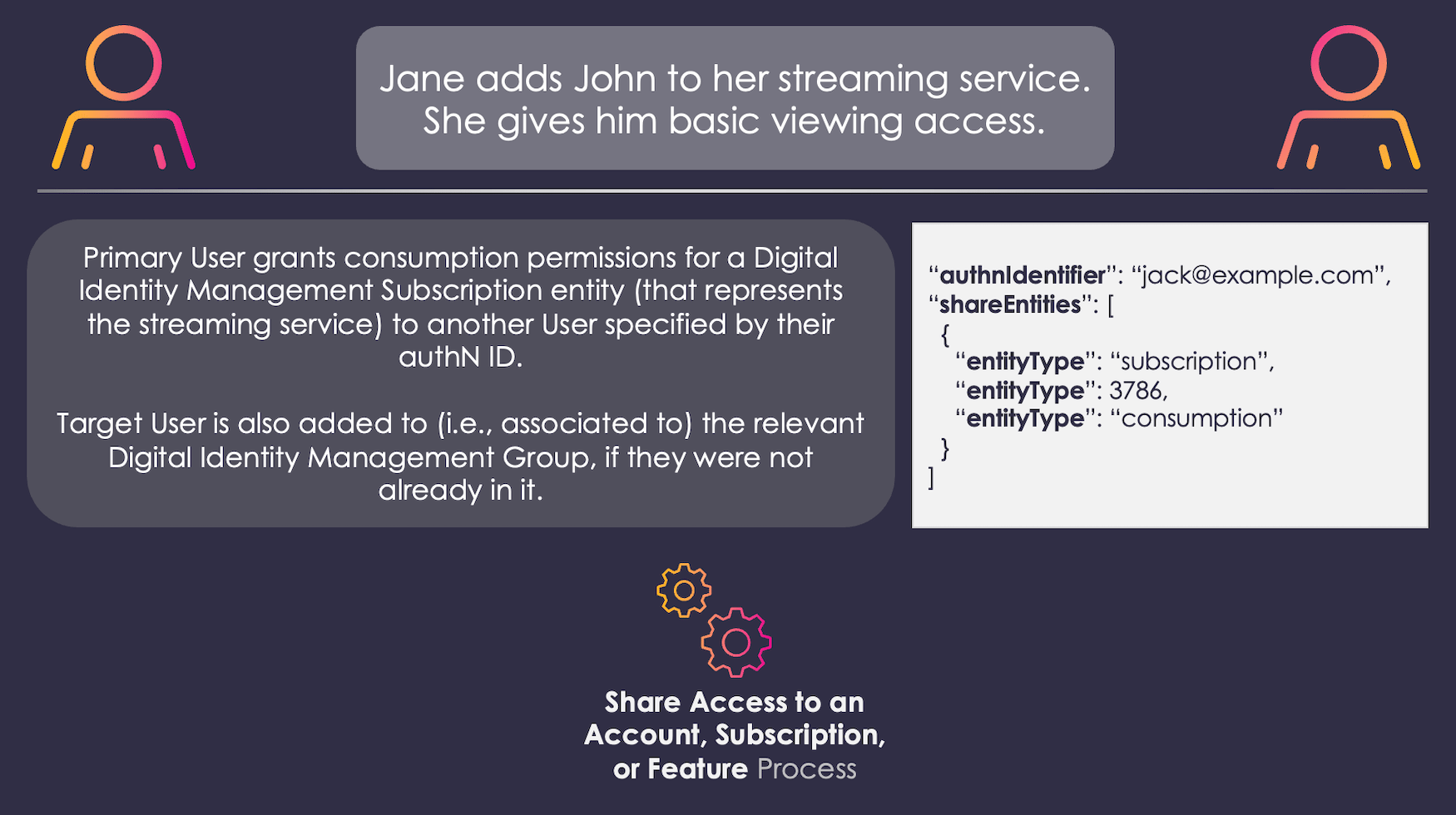
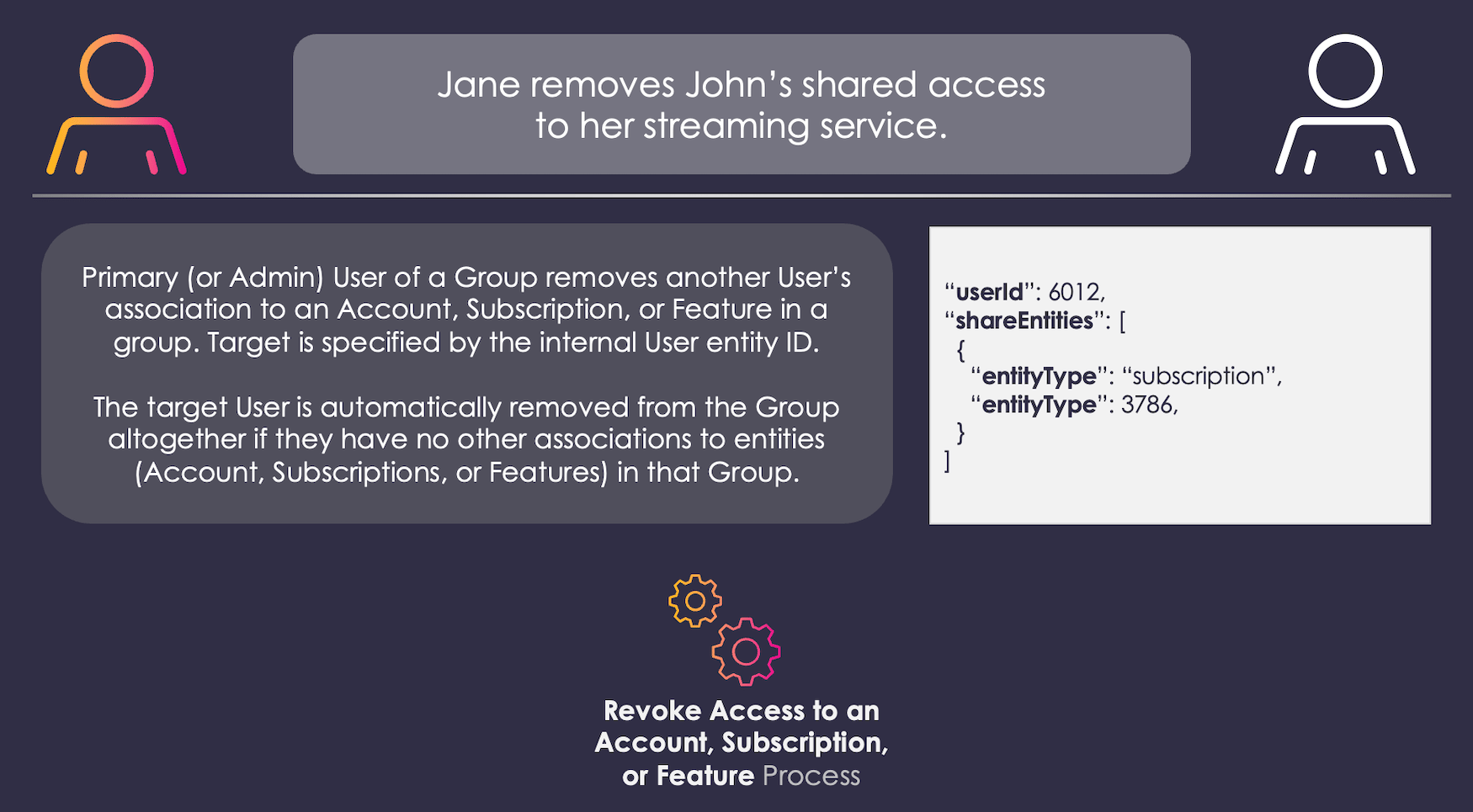
consumption permissions. However, there are a few variations on this flow, depending on the user invoking the Process, and the user to whom it is applied:
- The Primary User can remove any permissions (
admin,consumption, andadmin+consumption) from other Users. - An Admin User can remove
consumptionpermissions from a Regular User. - An Admin User cannot remove any permissions from The Primary User, or other Admin Users (if any).
- A Regular User cannot remove any permissions from any other User.
Process Flow
This flow describes the Process at a high level. Preconditions- The Primary (or Admin) user is currently authenticated in Digital Identity Management.
- The current user has the proper permissions to act upon the target User:
- The Primary User can invoke this Process on Admin and Regular Users
- Admin Users (Users with
adminpermissions) can only invoke this Process on Regular Users
- The user authenticates, and then navigates to their service management section of their client application/profile.
- The user reviews their currently associated accounts and services, and the other end users that are sharing access to those entitlements. The current user then selects a user and one or more accounts/services to remove from that target user.
- The Process requires the client to specify the target User entity and the Account/Subscription/Feature(s) to remove by their unique, internal
idnumber (theidis a property on every Digital Identity Management entity). The client can leverage additional Digital Identity Management APIs to retrieve the relevant information, and render meaningful choices to the user when they navigate to their profile within your application:GET user/groups— Retrieve a list of Groups to which the current User is associated. Each Group object includes anidproperty.GET group/{groupId}/users— Retrieve a list of Users associated to the Group specified by the Groupid
- If the target User is sharing access to more than one account or service in the Group, then the client (i.e., the Group Primary User) can select multiple entitlement entities to remove at once.
- The Process requires the client to specify the target User entity and the Account/Subscription/Feature(s) to remove by their unique, internal
- Digital Identity Management removes the target User from the selected account(s) or service(s).
- Digital Identity Management removes the association between the target User entity and the specified Account, Subscription, or Feature entities.
- Removing a User entity from a single entitlement entity in an A/S/F hierarchy does not cascade up or down that hierarchy. In other words, if a target User is associated to both an Account and a Subscription within a single A/S/F hierarchy, revoking one association does not affect the other association.
- (Conditional) Digital Identity Management removes the target User from associated Digital Identity Management Group if that User no longer has any associations to any entities in the A/S/F hierarchy.
- The User is removed from specified account or service.
- The user does not have the sufficient permission level to perform this action on the selects account or service.
Settings
This Process currently has no relevant settings that configure the Process API response or Process logic/behaviour. However, additional settings may be introduced over the course of future releases.User Journey Diagram
This diagram illustrates the standard user journey using the Revoke Access to A/S/F Process. [product: dim]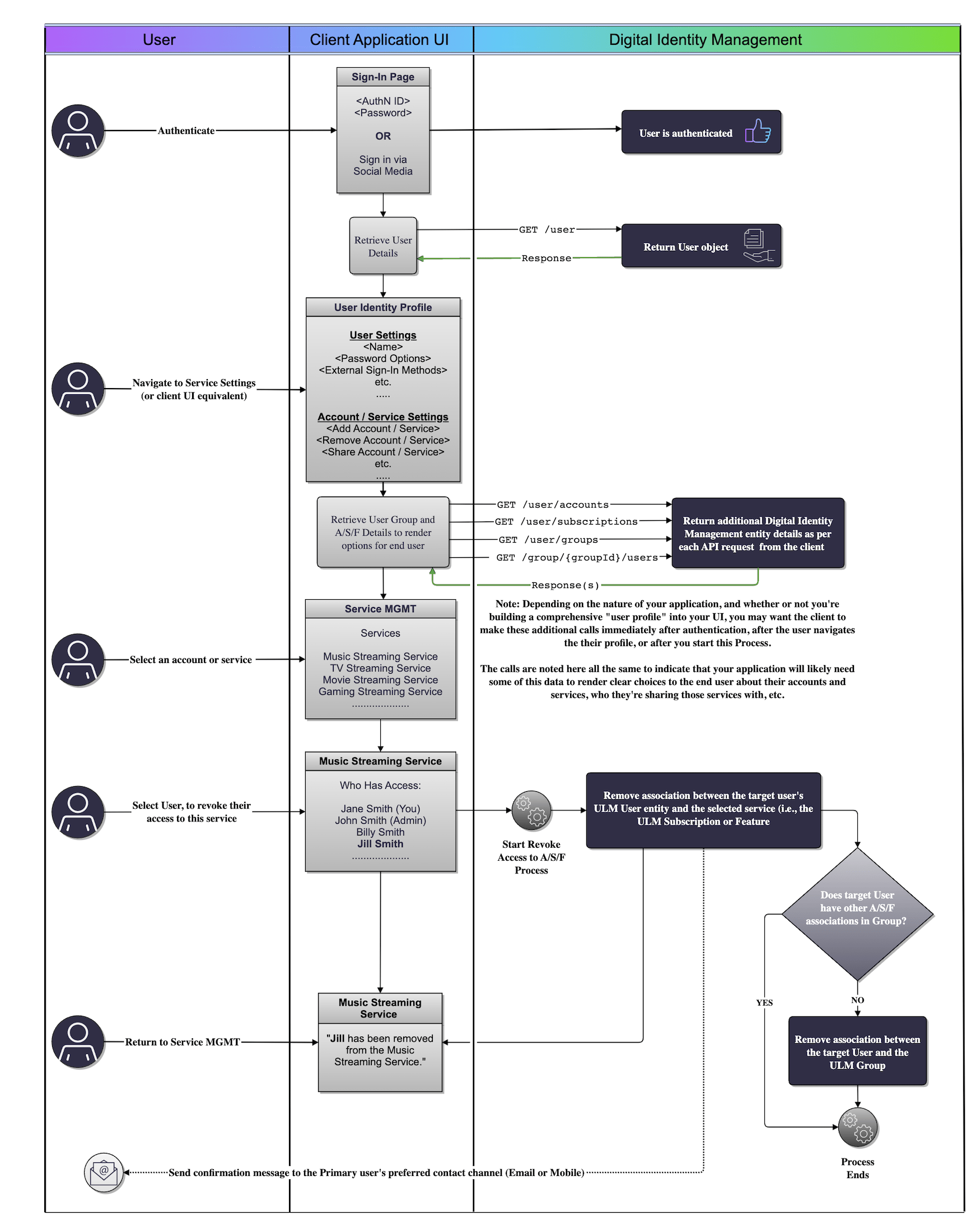
Use Cases
The following use cases provide guided API walk-throughs of this Process for client developers:- Revoke access to A/S/F
- Single step revoke A/S/F access
- Revoke A/S/F access errors
- Revoke access to A/S/F entities
- Single step revoke access
- Revoke A/S/F errors