

When a user loses access to their second factor authentication method, Care representatives can generate a single backup code (BUC) for the user to be used for account validation. This will allow the user to regain access to their account. The BUC is a temporary one-time code generated from the Care console and replaces any previously generated BUCs. A backup code (BUC) is needed when the user’s 2 Factor Authentication (2FA) method isn’t accessible. The BUC helps when the user can’t complete their authentication during the MFA process. For example in the following scenarios:
  • When the user exceeds the maximum allowed number of 2FA attempts.
  • When all previously generated BUCs have been utilized.
  • In cases where the user cannot access their authenticator app due to technical issues.
  • If the user has lost their device, such as their phone or tablet.
From the user’s Identity page, the Care representative generates the BUC to give to the user. This code is read out to the user on the phone and is never sent over a notification channel. Once the user enters the supplied BUC in the UI, that BUC is no longer valid. Parent topic:Authentication Identifiers

Generate a Backup Code

As a Care agent, you can generate a one-time backup code (BUC) on behalf of a user. The user must have at least one factor registered for two-factor authentication (2FA) in order to generate a BUC for them.
  1. Sign in to the Care console. By default, the Find a User screen appears.
  2. Find and select a specific user. The selected user’s profile or Identity page displays.
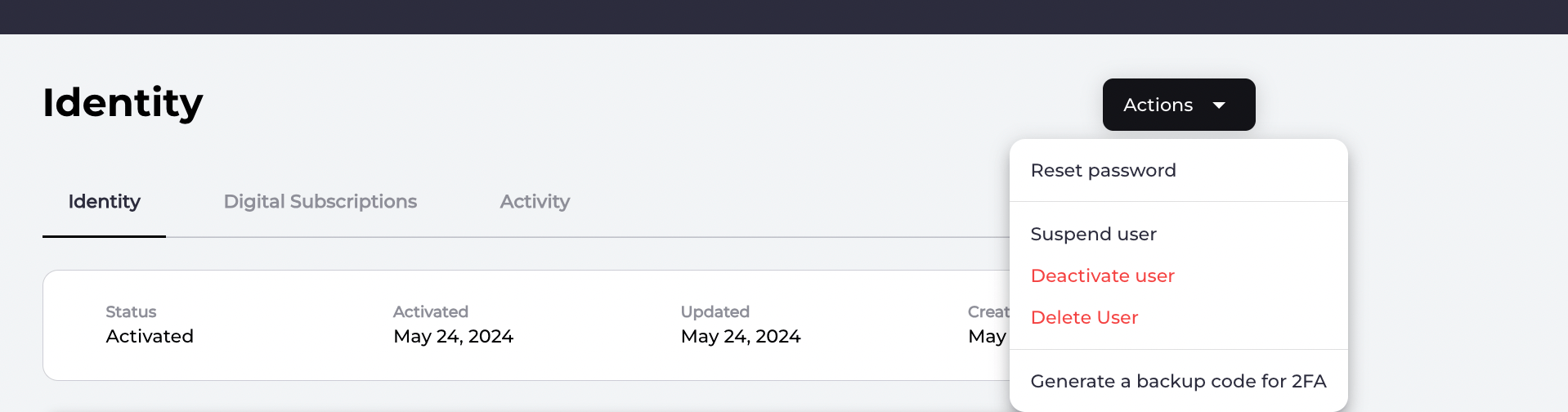
  3. Generate a backup code by selecting the Actions > Generate a backup code for 2FA link located in the top-right corner. Generate backup code link
  4. Provide the backup code to the user so they may enter it as part of their log in process. One-time backup code Note: Once the user successfully authenticates and logs in to their account, they should update their factors for MFA.
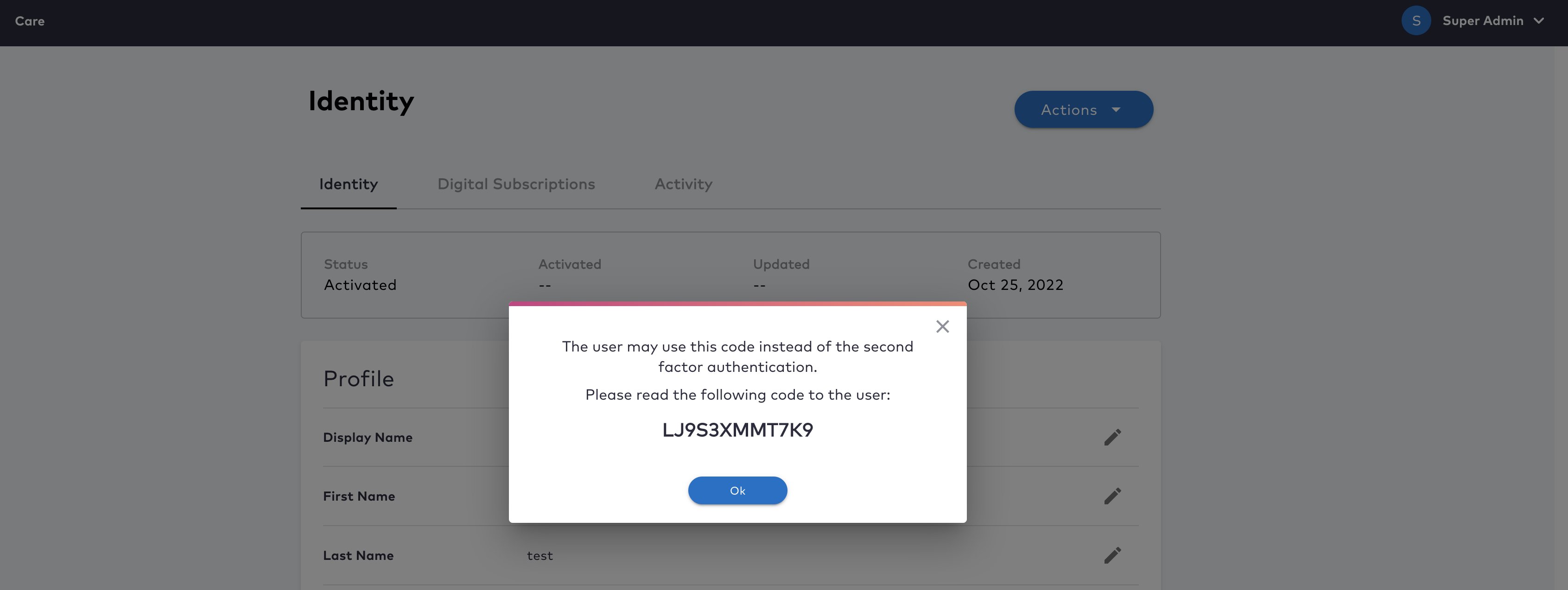
  5. Click OK.
The system generates a one-time backup code (BUC) that is supplied to the user in a secure way. The user enters the BUC, authenticates, and regains access to their account. The user receives a notification about their BUC usage and User History is generated. Parent topic:Backup Codes

How To Proceed After Successfully Using A Backup Code (BUC)

After the user completes a successful authentication and regains access to their account again, they should perform the following tasks:
  • Register a new 2FA method to ensure secure account validation in the future.
  • Remove any outdated 2FA factors that are no longer functional.
  • Generate a fresh set of backup codes for future use.
Parent topic:Backup Codes