

Process Flow
This table describes the Process functionality at a high level. Preconditions- The Digital Identity Management User ID is fully activated, with at least one associated social media profile.
- The Digital Identity Management User ID has least one other sign-in method (another associated account, authN ID + password)
- The user is currently authenticated in Digital Identity Management.
-
The user selects to disconnect the desired social media account (e.g., Facebook, Google).
- The UI can present this concept to the user in any form your organization sees fit (e.g., “disconnect,” “unlink,” or “disassociate”).
-
Digital Identity Management first verifies the User ID authN options, and then removes the association.
Note: The user must have at least one other authentication method. For example:
- A verified authN ID and password
- Another associated social account
- The Digital Identity Management User entity is no longer connected to the selected social media provider.
- A generic “invalid user state” error if the selected social media is the user’s only sign-in option (i.e., the user does not have a set authN ID + password, or another social media account, to use for authentication).
- Generic “invalid provider” error if the social media supplied by the UI is not associated to the User ID.
App Settings
This Process currently has no relevant app settings to configure the Process behavior.User Journey Diagram
[product: dim]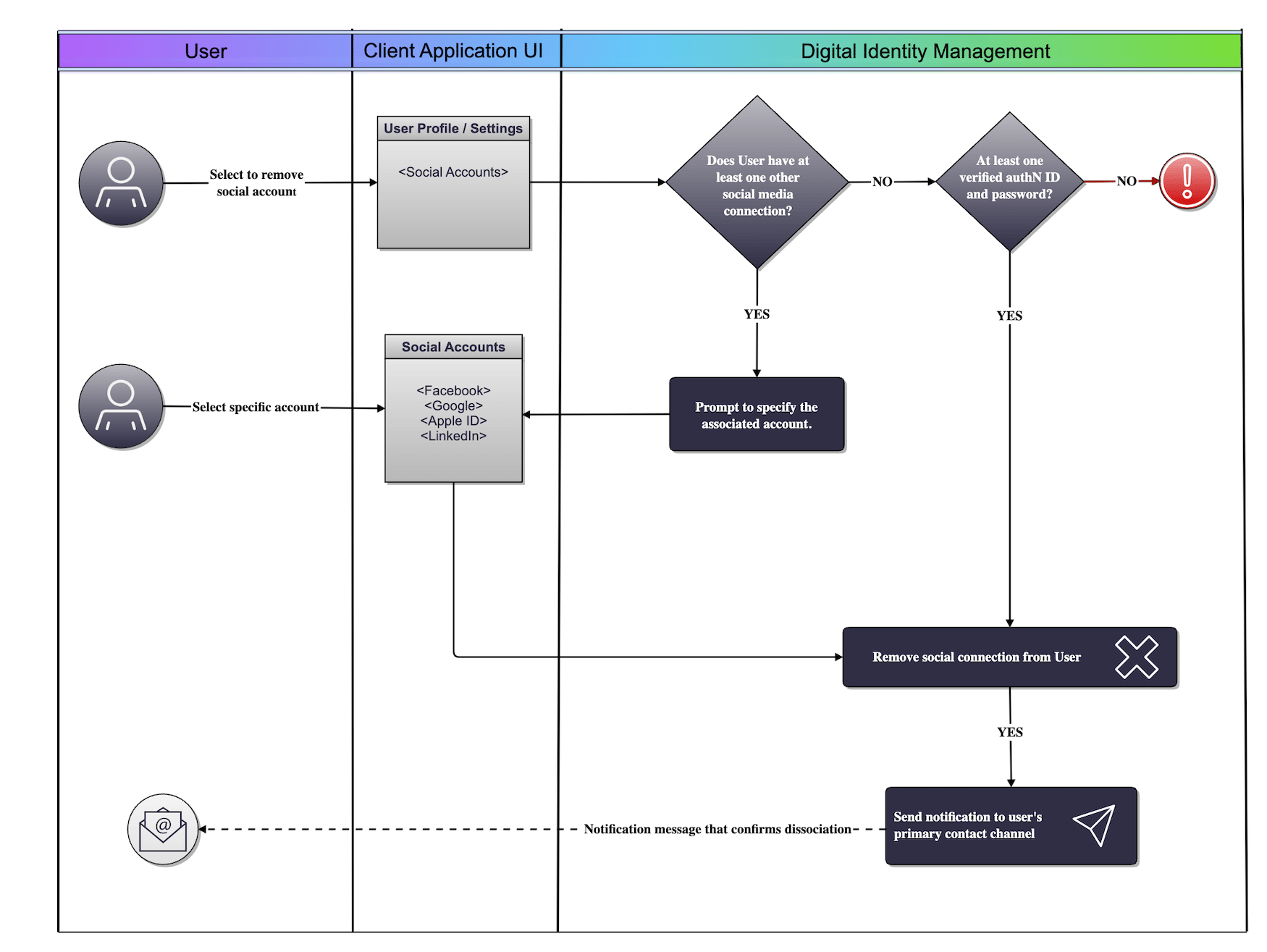
Use Cases
See the following use case topics for guided API walkthoughs of this Process:- Dissociate social account (user has a single associated social account)
- Dissociate social account (user has multiple associated social accounts)
- Social dissociation errors
See Also
-
The user can re-associate the social account, if they want, with either:
- The Associate Social Account to User Process (authenticated state)
- The Onboard and Associate User with Social Account Process (anonymous/un-authenticated state)
- Dissociate social account (single account)
- Dissociate social account (multiple accounts)
- Social account dissociation errors