

User Authentication Flow
Preconditions- The User ID exists in Digital Identity Management.
- The user has no password.
- The user is configured to use OTP to verify their authN ID.
- The user navigates to your organization’s login page.
- The user enters a previously verified AuthN ID such as their email address or mobile number.
- Digital Identity Management sends a verification message with a One-Time Password (OTP) to the user’s email address or mobile number.
- The user submits the OTP verification code sent by Digital Identity Management.
- The user is logged in after Digital Identity Management’s successful identity verification.
Authenticate User with Email or Mobile and OTP
The first process begins the user’s journey and verifies that the user exists in Digital Identity Management. [product: dim]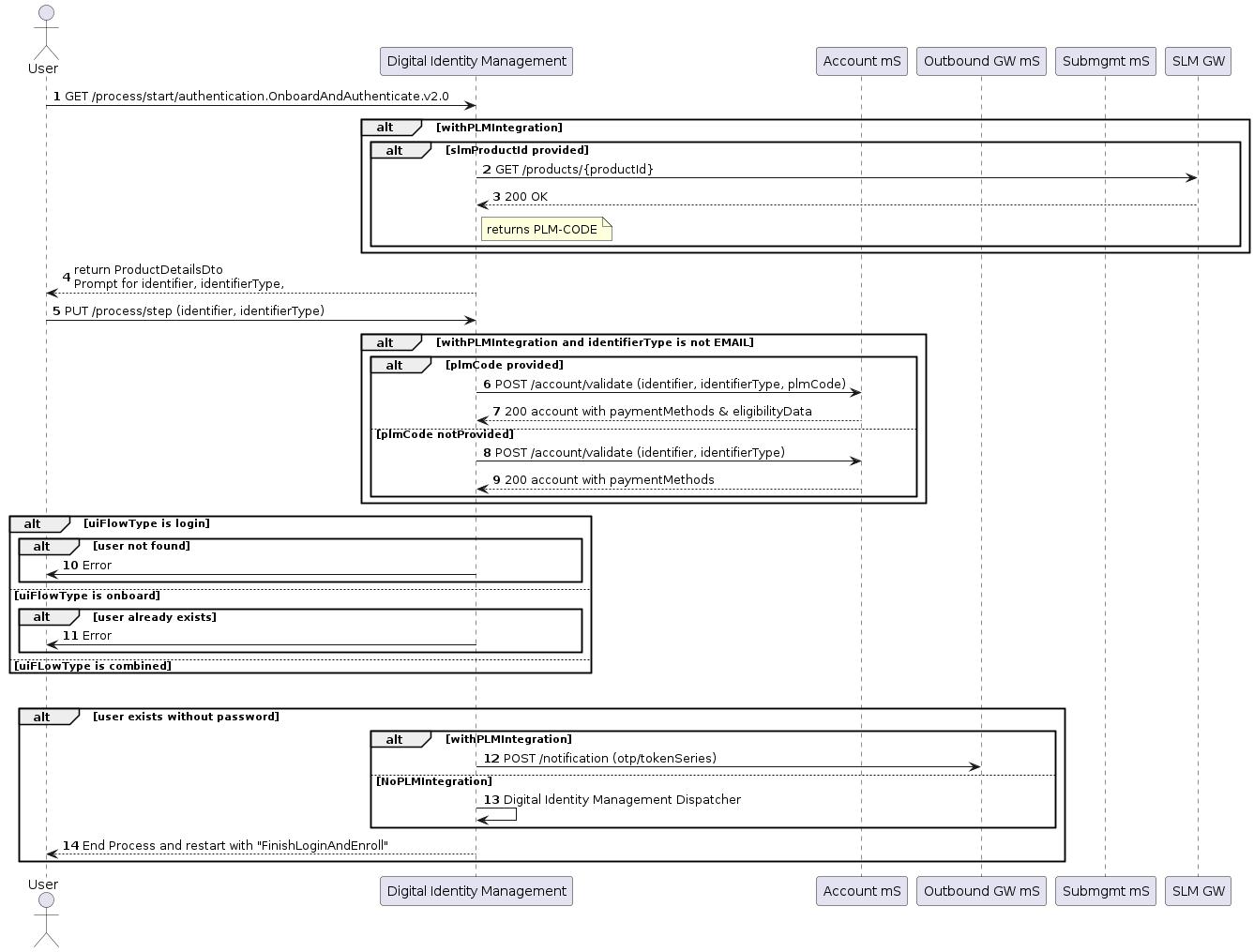
create-password-prompt is an optional parameter on the UI and is disabled (false).
[product: dim]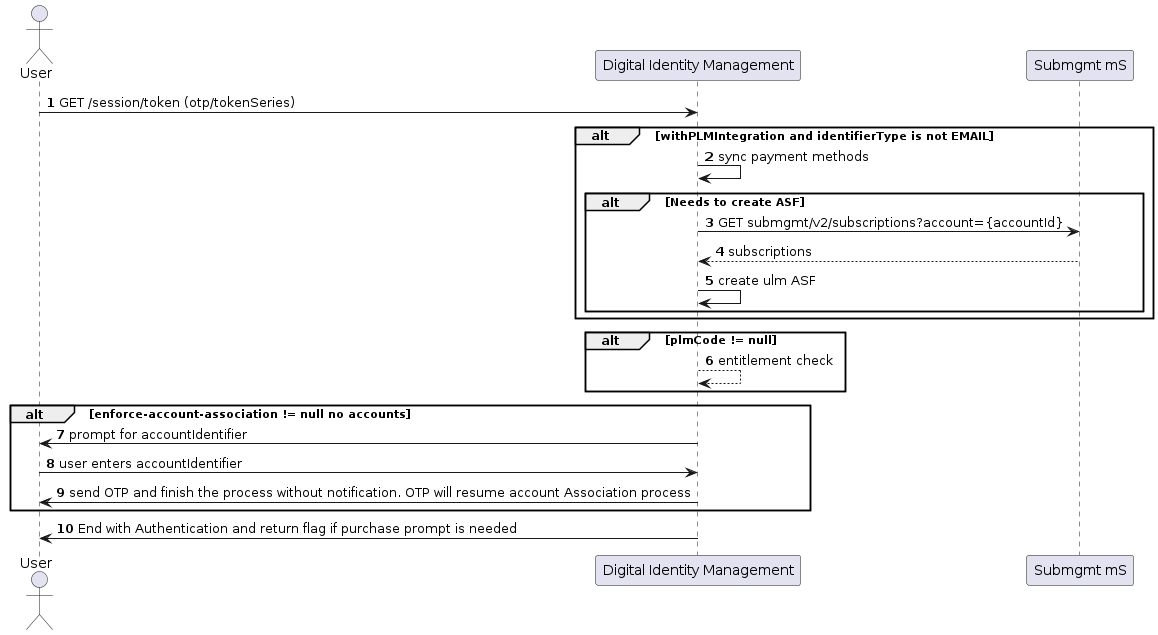
Application Settings
Some of the relevant app settings for this use case are:shortTokenExpirationPeriodinMinutescreate-password-promptwithAccountDiscoverydiscoverAccountsBy