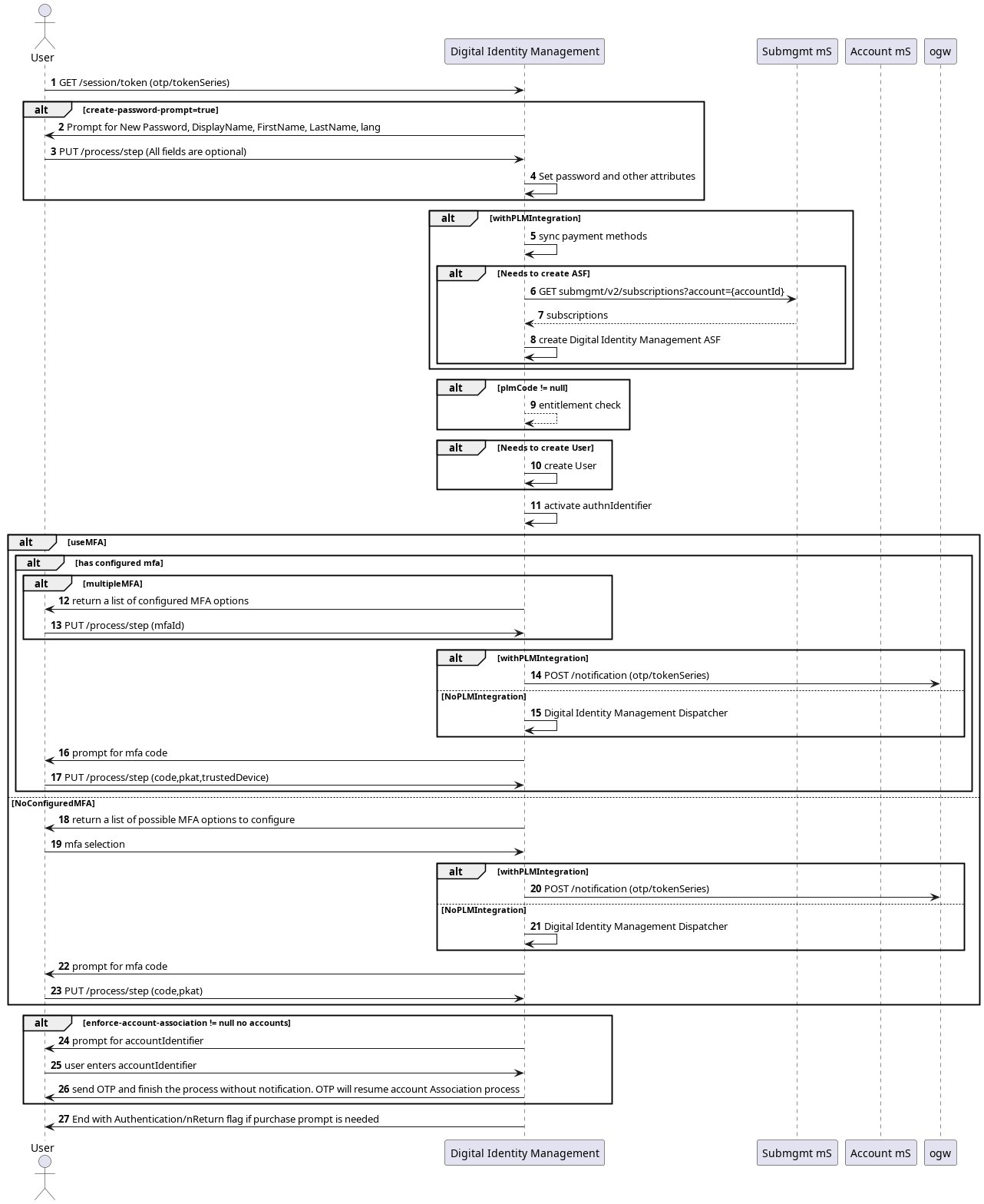
User Onboarding and Authentication Flow
Preconditions- The doesn’t User ID exist in Digital Identity Management.
- The new user visits the organization’s login page to sign up.
- Digital Identity Management sends a verification message with a One-Time Password (OTP) to the user’s submitted email/mobile number.
- The new user submits a new password and related information such as Display Name, First Name, Last Name, and Language.
- The user’s password is validated.
- User ID is created and stored in Digital Identity Management.
- Digital Identity Management verifies the user identity.
- User is authenticated.
Onboard and Authenticate User with Password
The new user starts with the first Onboard and Authenticate Process and completes their journey with the Onboard, Authenticate and Activate Process. [product: dim]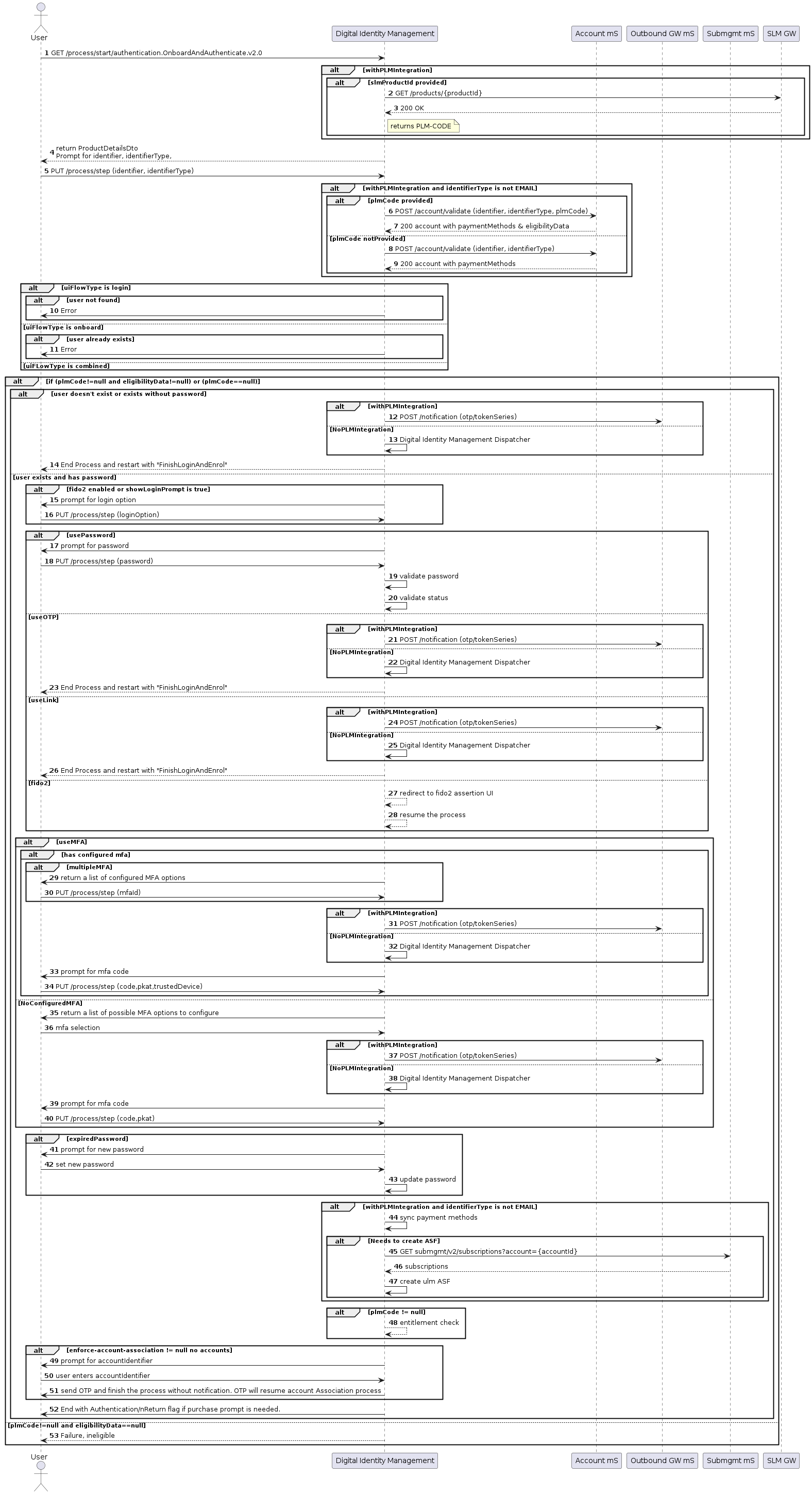
create-password-prompt is enabled (true) on the UI, the process step prompts the user to set their password.
[product: dim]