

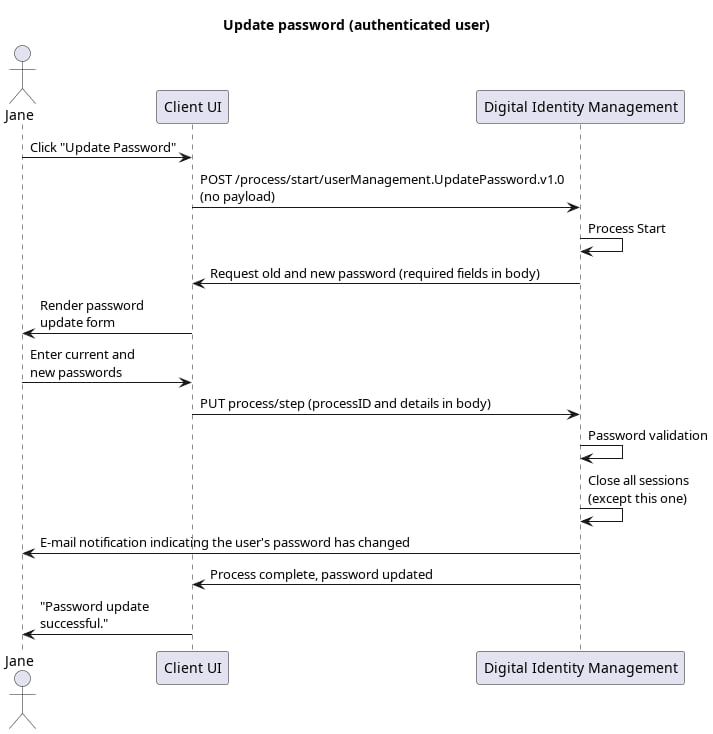
This is the standard user case delivered by the Update Password Process . An authenticated user replaces their existing password with a new one. [product: dim][/product: dim]

Initial Request

Your client calls the Process Start API to initialize the Process:

Response: Prompt to select authN ID

Digital Identity Management responds with a request to provide both the user’s current password and their desired new password:
Note: Entering the current password proves/validates the current user’s identity (as opposed to another individual attempting to hijack the end user’s profile).

Final Request: Provide new password

The user provides their old and new credentials, and the client passes that information to Digital Identity Management with the Process Step API:

Process Complete

Digital Identity Management saves the new password, and the Process ends. The user must now use the new password set whenever they are prompted to provide it.