

User Authentication with FIDO2 Flow
Preconditions- The User ID exists in Digital Identity Management.
- The user is configured to use FIDO2 to verify their authN ID.
- The user has registered a FIDO2 option.
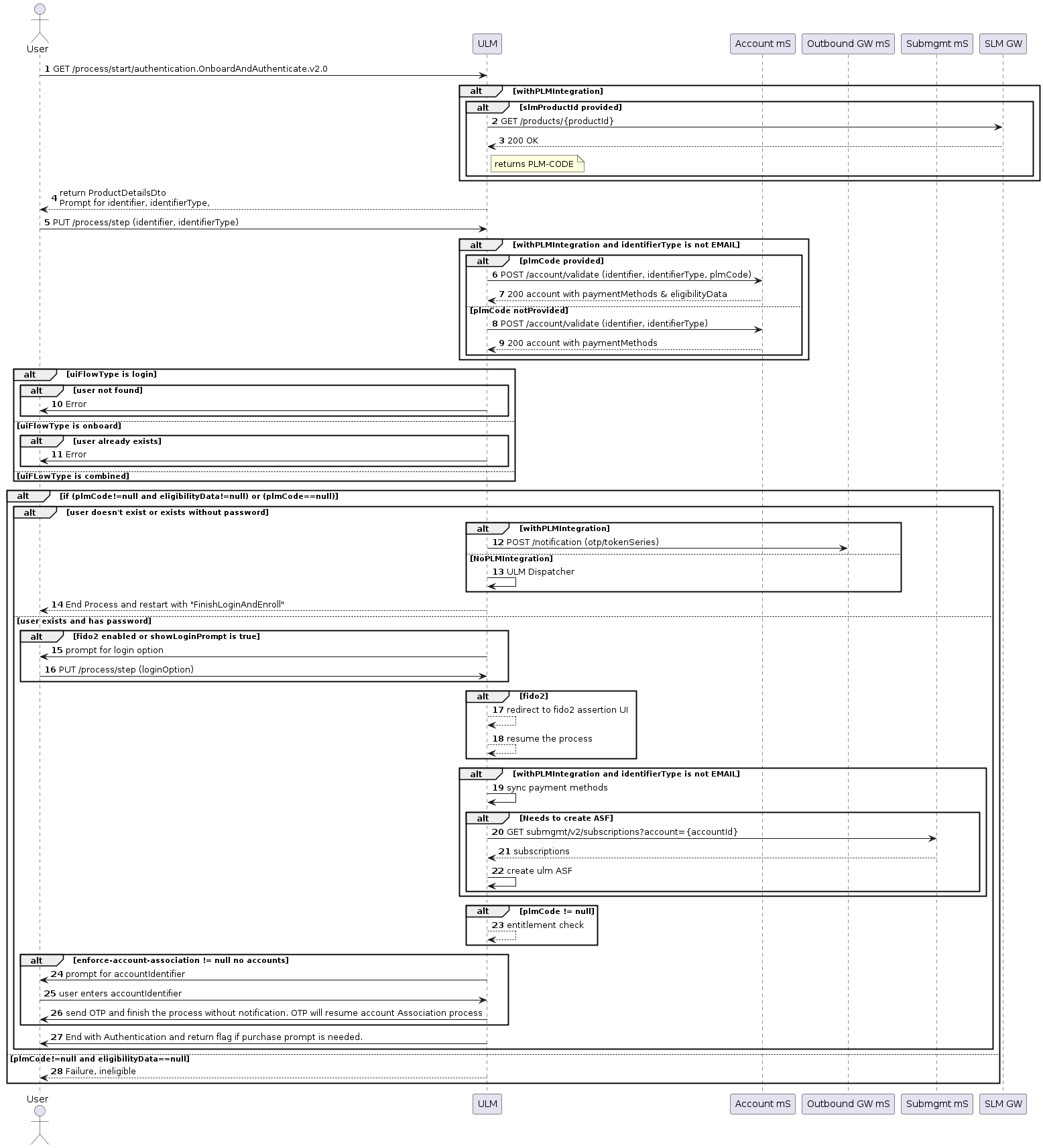
- A user visits the organization’s login page.
- The user logs in with their email/mobile.
- Digital Identity Management redirects user to FIDO2 assertion page to select their option.
- The user enters their FIDO2 credentials. Note: If the user doesn’t have any factors registered for FIDO2, Digital Identity Management guides the user through the onboarding steps to complete their registration and first factor setup.
- The user is logged in after Digital Identity Management’s successful identity verification.
Authenticate User with FIDO2
Application Settings
Some of the relevant app settings for this use case are:showLoginPromptshortTokenExpirationPeriodinMinuteslongTokenExpirationPeriodinMinutes